Day headers
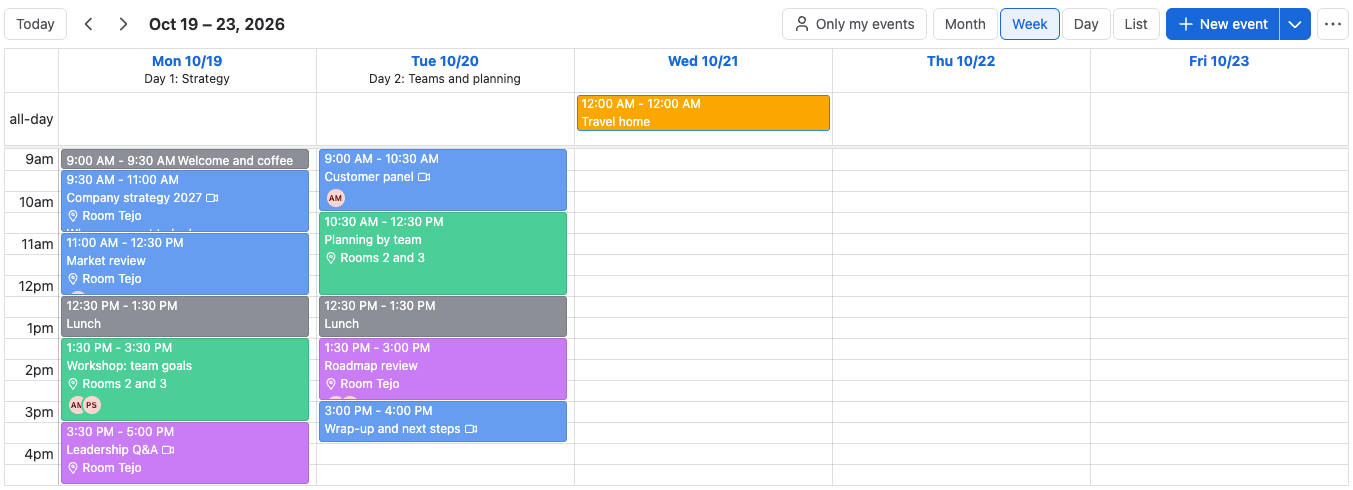
A day header is a short label under a date, such as Day 1: Strategy or Release freeze. Use it to give each day of a multi-day agenda its theme.
Before you begin
You need permission to edit the calendar, and the calendar isn't locked.
Add or change a day header
- Switch to the Week or Day view.
- Select the date at the top of a day's column. Day header for the date opens.
- Type the label, up to 128 characters.
- Select Save, or press Enter.
Result: The label shows under the date in the Week and Day views, next to the date in the List view, and in Confluence PDF and Word exports.
To remove a day header, open it, select Clear (the × in the field), and select Save.
Related
- Start from a template: the Leadership training template comes with day headers.
- Create with AI: an AI assistant can write day headers for each day.
- Views: where day headers show.