📂 Event Planner
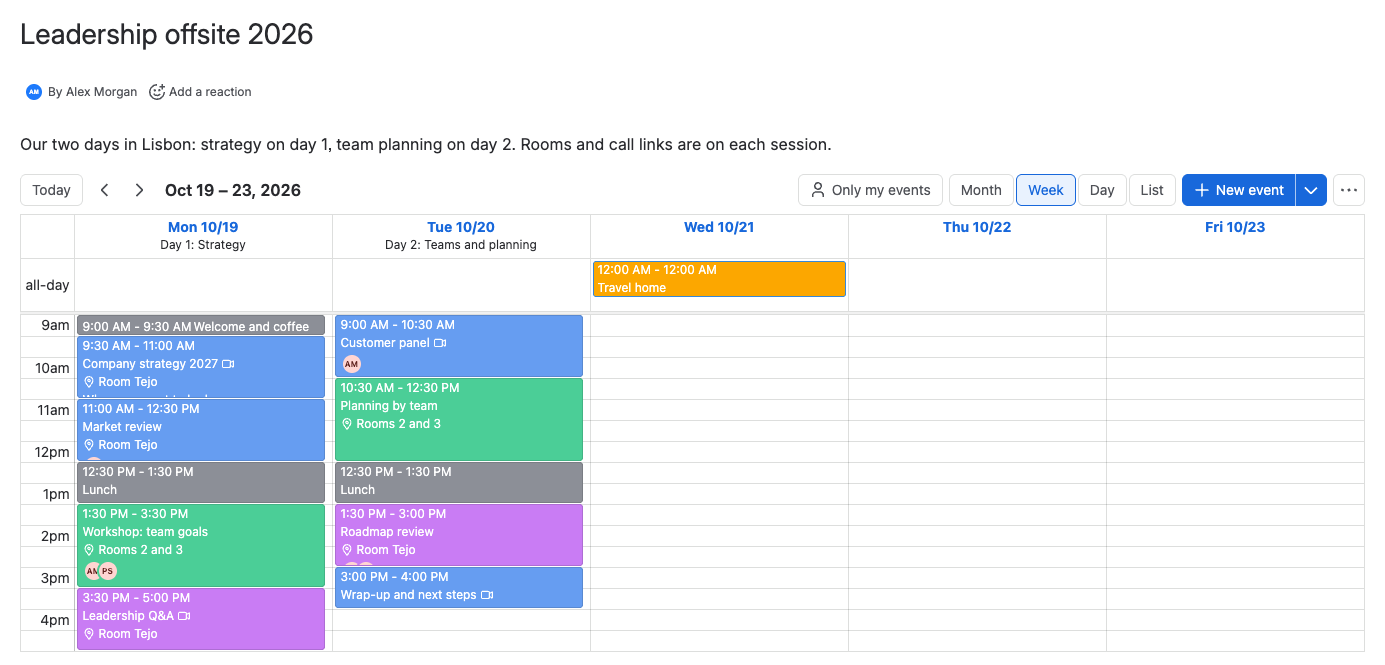
 | Event Planner puts a shared calendar where your team already works: on a Confluence page, in a Confluence space, on a Jira work item or on a Jira dashboard. Plan an offsite agenda, a launch, a training or the team's milestones, and drag events to reschedule them. |
|---|
Get started: install the app and plan your first events in about 5 minutes.
Why teams use it
- The plan sits next to the work. The agenda lives on the page that explains the event, or on the work item that tracks it. Nobody has to find a separate calendar tool.
- Edit on the published page. In Confluence you add, move and change events without putting the page in edit mode.
- Fast to fill. Start from a ready-made agenda, or describe the event to an AI assistant and import the schedule it writes.
- Clear details. An event can carry a location, a link with a Join button for Zoom, Teams or Meet, and the people involved.
- Atlassian permissions decide access. Whoever can see the page, work item or dashboard sees its calendar. Whoever can edit it can change events. Space calendars use Confluence restrictions.
- Your data stays in Atlassian. The app runs on Atlassian Forge and has no servers of its own.
Who it's for
- Team leads and event organizers plan offsites, trainings, workshops and onboarding weeks, with a day-by-day agenda on the page people already read.
- Project and product managers keep launch dates, release activities and milestones on the epic or planning page they belong to.
- Teams and departments share a space calendar for launches, time off or on-call weeks, and show it on their team home page.
- Jira users see the team's key dates on a dashboard, next to their filters and charts.
What you get in each product
| Feature | Confluence | Jira |
|---|---|---|
| Where calendars live | The Event Planner macro on a page, and space calendars in the space's Event Planner app | The Event Planner panel on a work item, and the Event Planner gadget on a dashboard |
| Who can see and change a calendar | Page permissions, or space permissions and restrictions for space calendars | Work item permissions for the panel, dashboard sharing for the gadget |
| Month, week, day and list views | Yes | Yes |
| Location, link and people on events | Yes | Yes |
| Templates and Create with AI | Yes | Yes |
| Lock a calendar | Page macro | Panel and gadget |
| Version history | Space calendars | Not supported |
| ICS and CSV export | Yes | Yes |
| Calendar in Confluence PDF and Word exports | Yes | Not supported |
| Marketplace app | Event Planner for Confluence | Event Planner for Jira |
The two apps are separate Marketplace listings with separate licenses. Install the one for each product you use.
Documentation
| Section | What you'll find |
|---|---|
| Get started | Install the app and plan your first events in Confluence or Jira |
| Use cases | An offsite agenda, a team space calendar, a launch plan on an epic and a team dashboard |
| Calendars | Add a calendar to a page, a space, a work item or a dashboard, and embed space calendars |
| Events | Add, change, move and delete events, day headers, templates and Create with AI |
| Views and settings | Views, Only my events, calendar settings, the lock and export |
| Administration | Install and update, the admin page, permissions and licensing |
| Data security and privacy | What the app stores, where data goes, and the app's permissions |
| Reference | Limits, known limitations and the AI schedule format |
| Troubleshooting and FAQ | Fixes for common problems, and short answers |
What's new
- Q4 2026: Space calendars with Confluence restrictions, the Embed space calendar macro, location, links and people on events, and a new calendar header. Details
- Q2 2026: Create with AI, and calendars in Confluence PDF and Word exports. Details
- All changes
Get help
- Contact support with the product (Confluence or Jira), what you did and a screenshot.
- Event Planner for Confluence and Event Planner for Jira on the Atlassian Marketplace