📂 Canned Worklogs
Save time and ensure consistency with reusable worklog templates for your recurring tasks.
Overview
Canned Worklogs allows teams to efficiently manage time tracking in Jira by creating a library of reusable worklog templates. Simplify the process of logging work on recurring tasks while ensuring accuracy and consistency.
With customizable placeholders, timestamps, and dynamic links, you can quickly adapt templates to suit specific needs without repetitive manual entries.
Who is this app for?
- Jira users who log time regularly - Anyone who logs time on recurring tasks will save effort with reusable templates.
- Team leads and scrum masters - Standardize how your team logs time to ensure consistent and accurate reporting across the board.
- Project managers - Reduce discrepancies in time tracking data that feeds into reports and billing.
- Service desk agents - Speed up repetitive worklog entries for common support activities.
Key features
-
Reusable Worklog Templates Create and store worklog templates for tasks that occur frequently, saving valuable time and reducing manual effort.
-
Consistency Across Teams Standardize how work is logged across the team, minimizing discrepancies and improving reporting accuracy.
-
Adaptable and Easy to Use Templates are fully customizable to fit your project's unique requirements, making worklog entries fast and flexible.
Benefits
- Save Time: Eliminate the repetitive process of manually entering worklogs for recurring tasks.
- Enhance Team Collaboration: Share templates across teams for uniform reporting.
How it works
-
Create Worklog Templates
- Navigate to the Canned Worklogs section in Jira.
- Select Create Template.
- Add a template name and customize the Time spent and Worklog comment.
-
Apply a Template
- When logging work on a Jira Work Item, select an existing template from the library.
- Review and make any final adjustments before submitting the worklog.
-
Manage Templates
- Edit, delete, or share templates to ensure they remain up-to-date and useful for you.
Example template
Here's a sample template for a recurring standup meeting task:
Standup Meeting - Daily
- Name: Standup Meeting - Daily
- Duration: 15m
- Comment: Discussed updates and blockers with the team
Getting started
- Install Canned Worklogs from the Atlassian Marketplace.
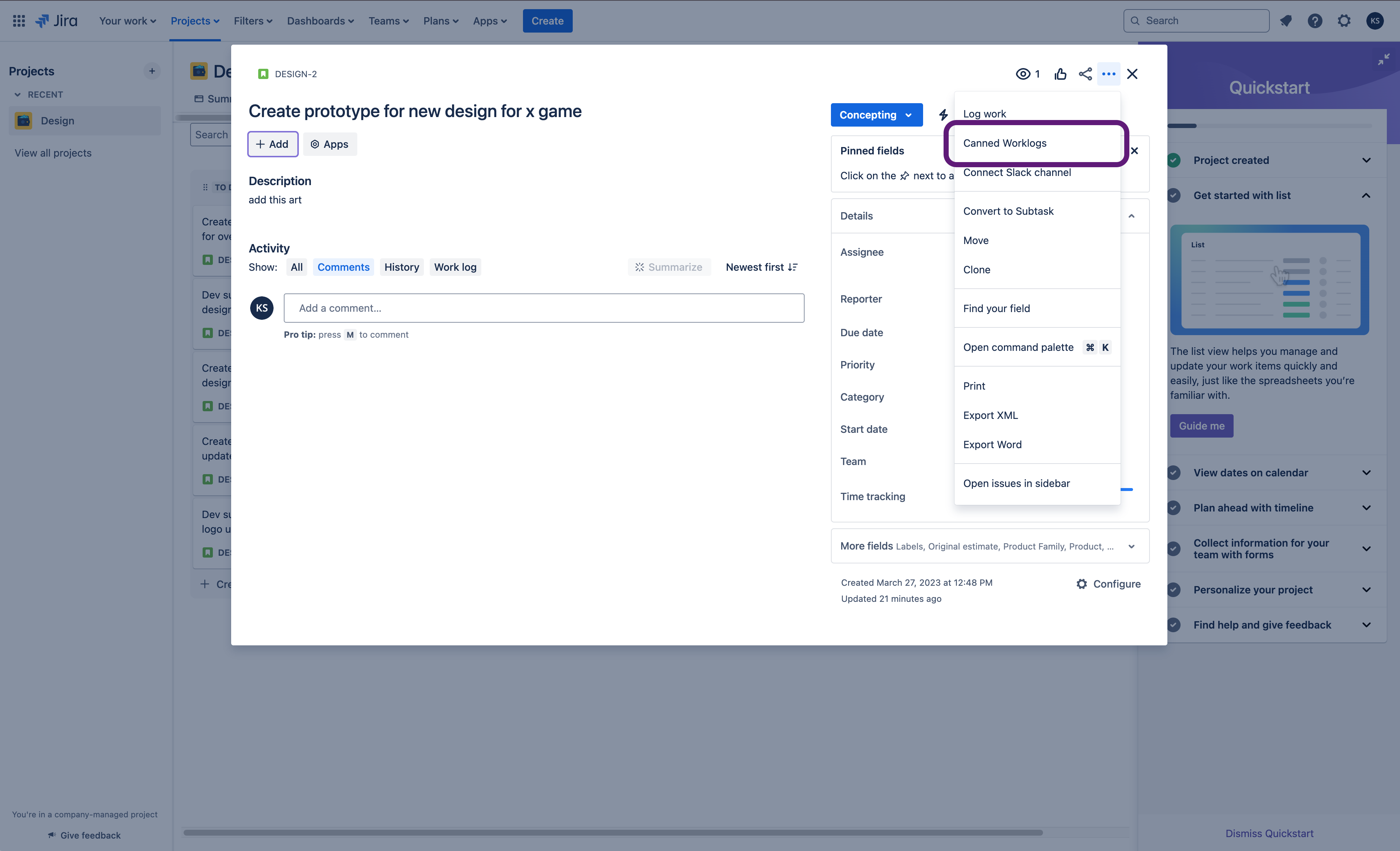
- Access the app via the Jira Work Item Actions menu.
- Start building your library of templates.
Support
For assistance, contact our support team via the support portal.