📂 Team Voice
Overview
 | Team Voice is a polling app for Jira and Confluence. Create a poll on a work item or a page, let your team vote, and see the results as a table, bar chart, or pie chart. |
|---|
With Team Voice, you can create, participate in, and analyze polls directly within your Jira work items or Confluence pages.
See What's new for changes in each version. Still on an older version? See Update to the latest version.
Key features
- Create a poll by filling out a short form, without leaving the work item or page you are on.
- Set your own poll title, answer options, and voting settings.
- Results update as votes come in.
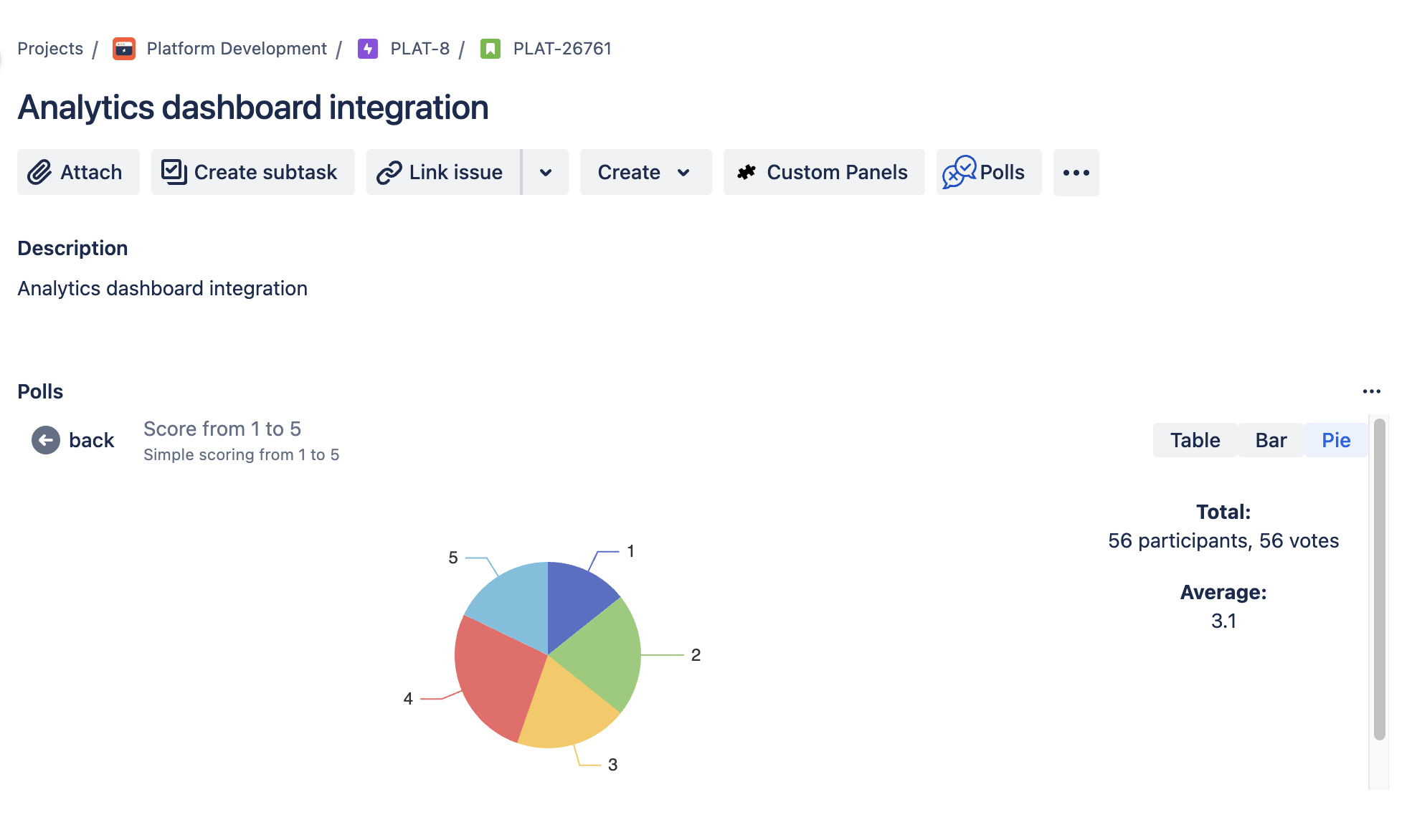
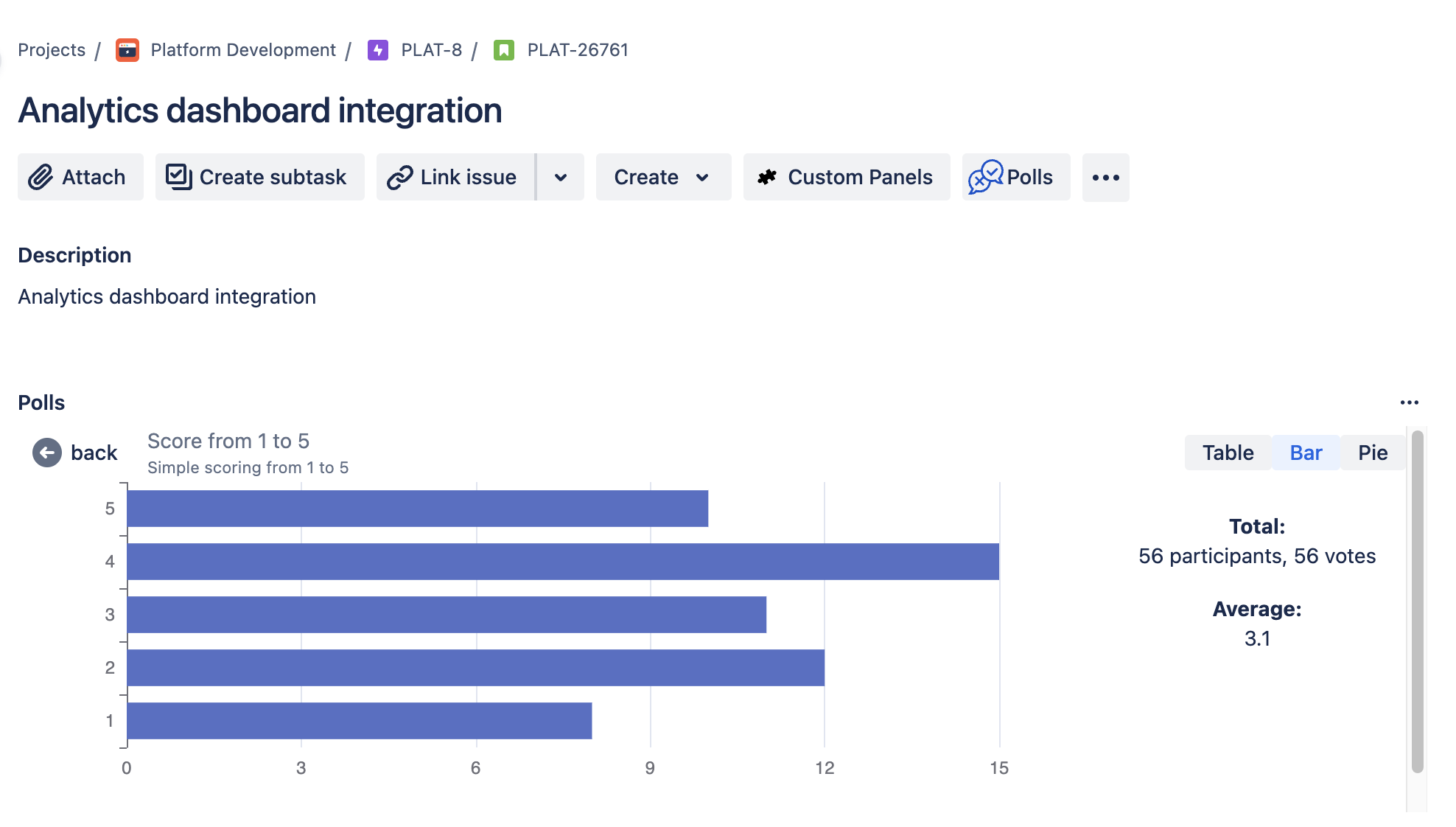
- View results as a table, a bar chart, or a pie chart.
How it works
-
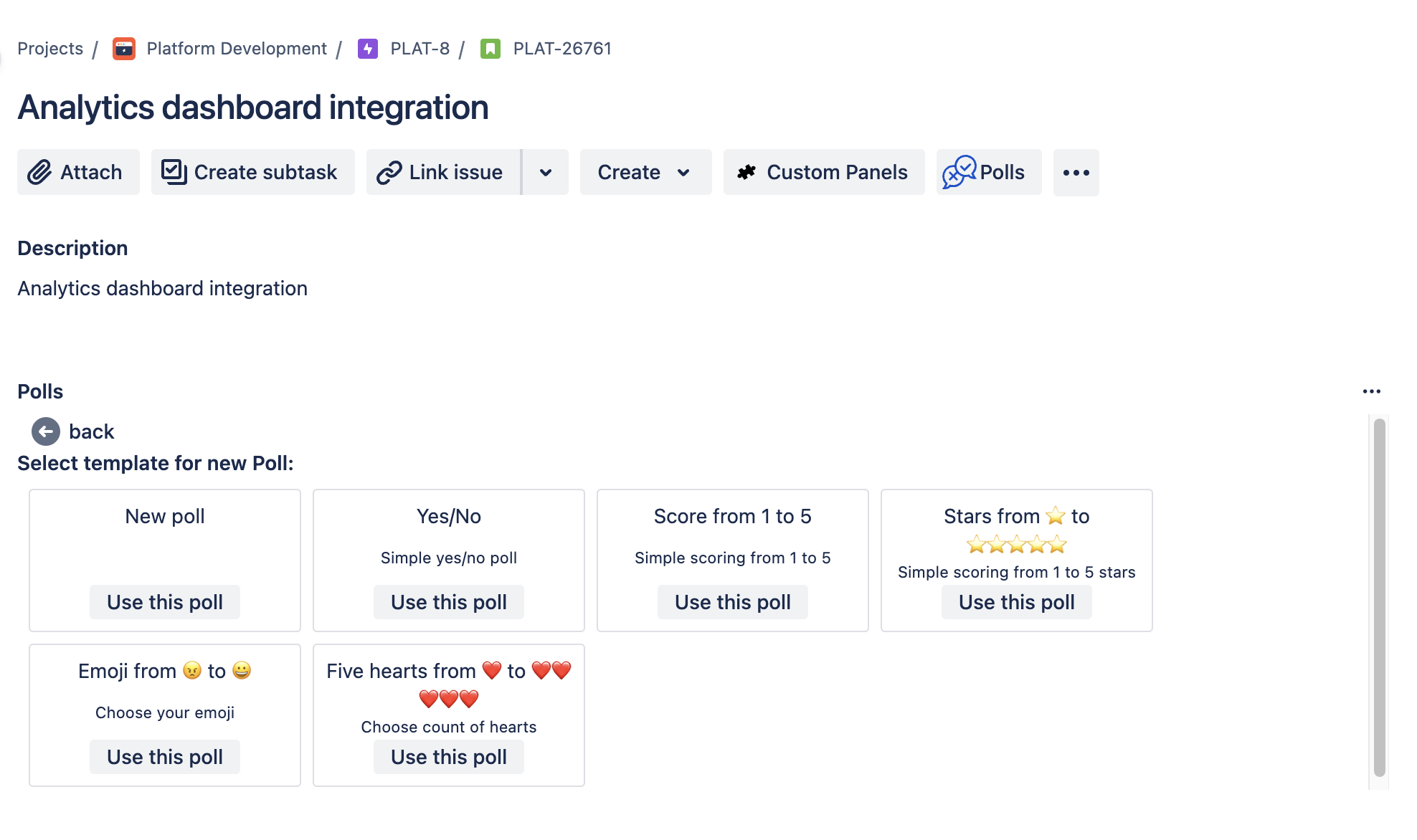
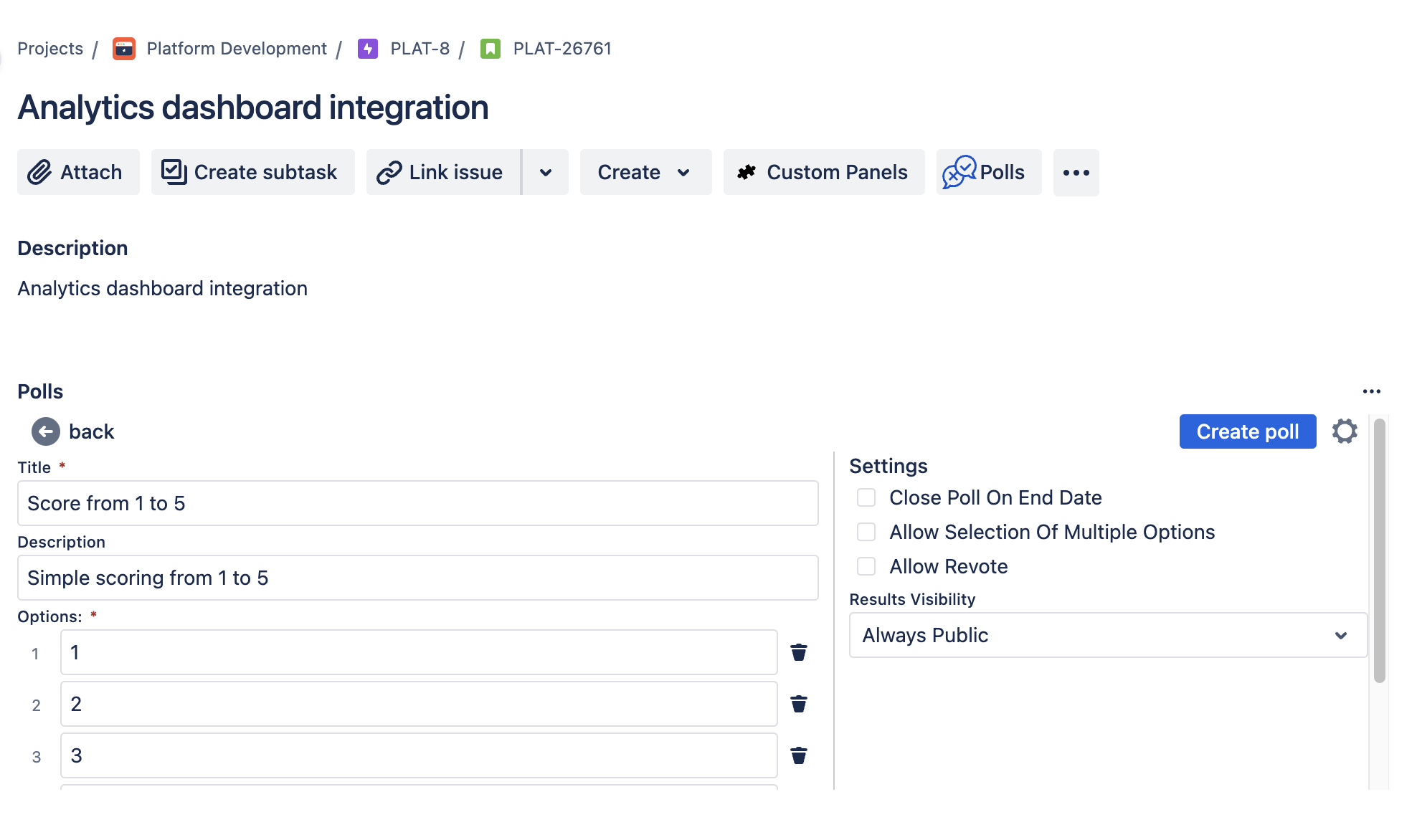
Create polls:
- Navigate to the Jira work item or Confluence page where you want to add a poll.
- Use the Team Voice form to specify the poll title, options, and settings.
- Save and publish the poll.
-
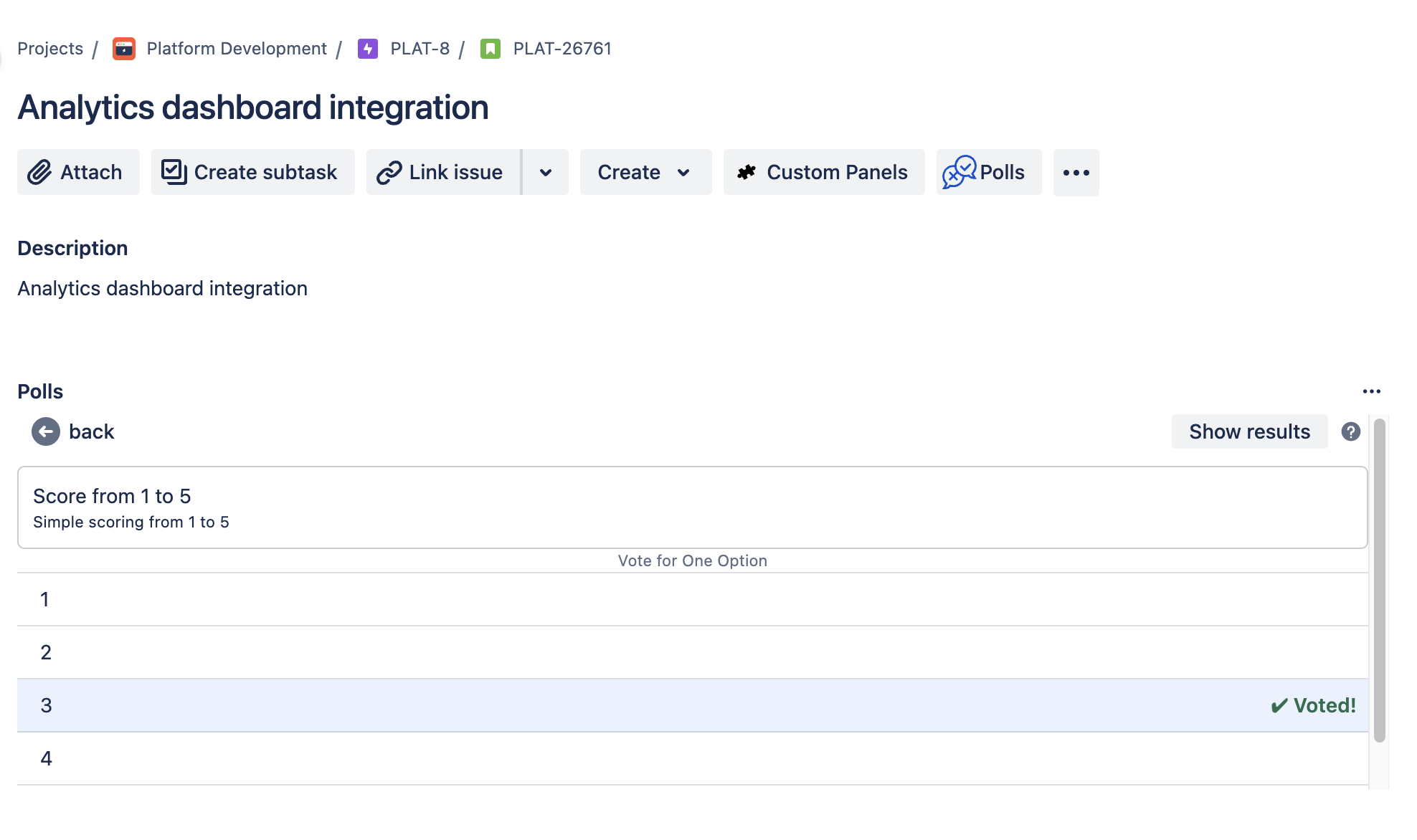
Participate in polls:
- Team members vote by selecting their preferred options.
-
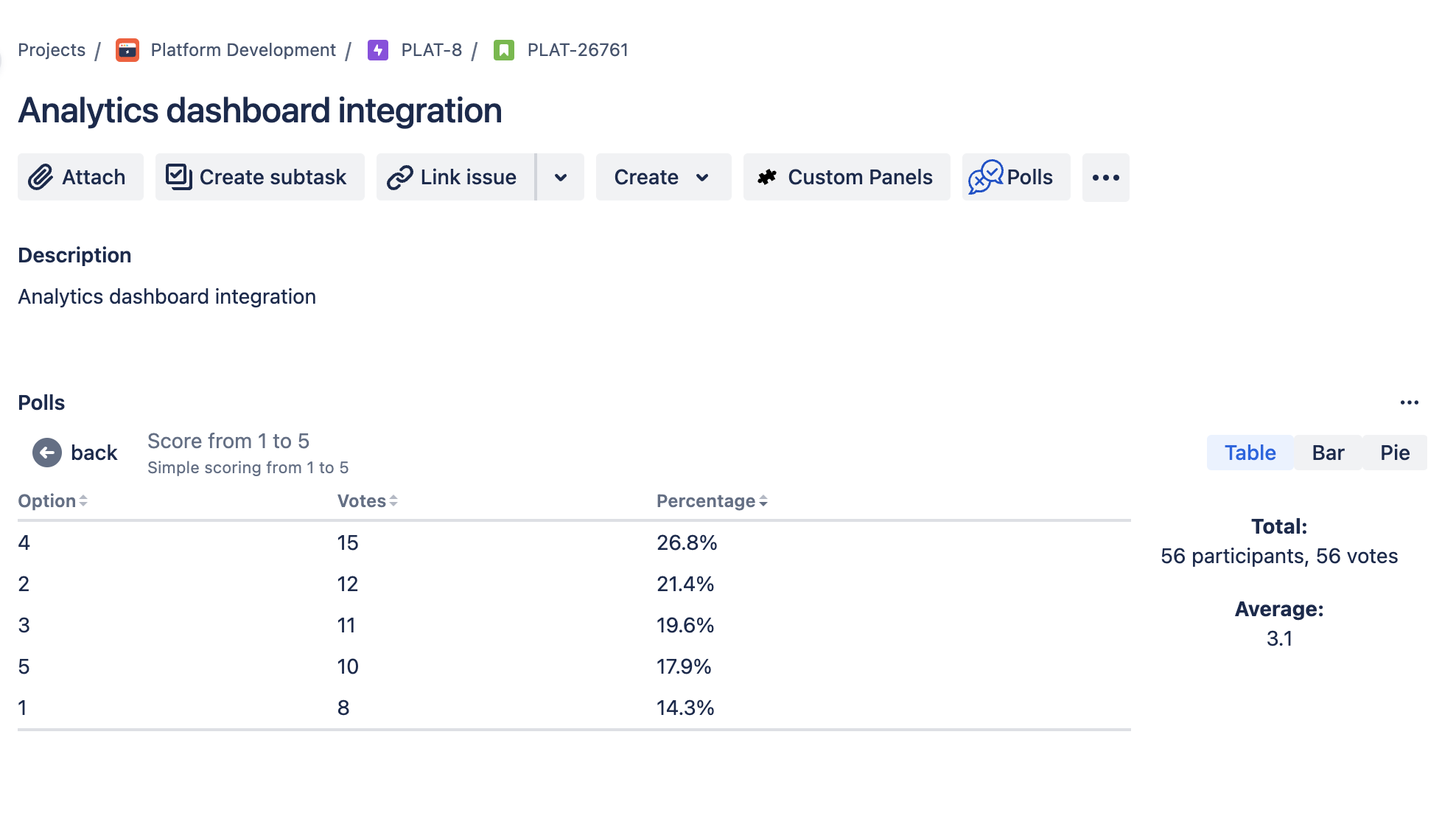
View results:
- Results are updated instantly as votes come in.
- Choose from multiple formats to view the results, including tables, bar charts, and pie charts.
Poll permissions
- Participate: View permission (Confluence/Jira).
- Create/Edit/Delete: Edit permission (Confluence/Jira).
See Permissions for details.
Benefits
- Improved Team Engagement: By simplifying the polling process, Team Voice encourages more frequent and meaningful participation from team members.
- Better Decision-Making: Instant access to poll results in various formats helps teams make informed decisions quickly.
- Streamlined Workflow: Integrated directly into Jira and Confluence, Team Voice keeps your team focused by reducing the need to switch between different tools.