Views
Switch views, move through dates, and show only the events you're added to. Your choices affect only you and last while the calendar is open.
Before you begin
Everyone who can see a calendar can use its views. That includes people who can't edit it.
Switch the view
In the calendar's header, select Month, Week, Day or List. When the calendar is narrow, for example in a dashboard column, the four buttons become one dropdown.
| View | Shows | Good for |
|---|---|---|
| Month | Every day of the month, with events as short bars | Spotting busy weeks and free days |
| Week | 7 days, or 5 when weekends are hidden, with a time grid and a line at the current time | Planning sessions and meetings |
| Day | One day with a time grid | A dense agenda, such as a workshop |
| List | All events from today on, grouped by month and day, with day headers | Reading the plan, and narrow places |
Select Today, or the Previous and Next arrows, to move through dates. The header shows the period on screen. In the List view, the arrows are off because the list shows every event.
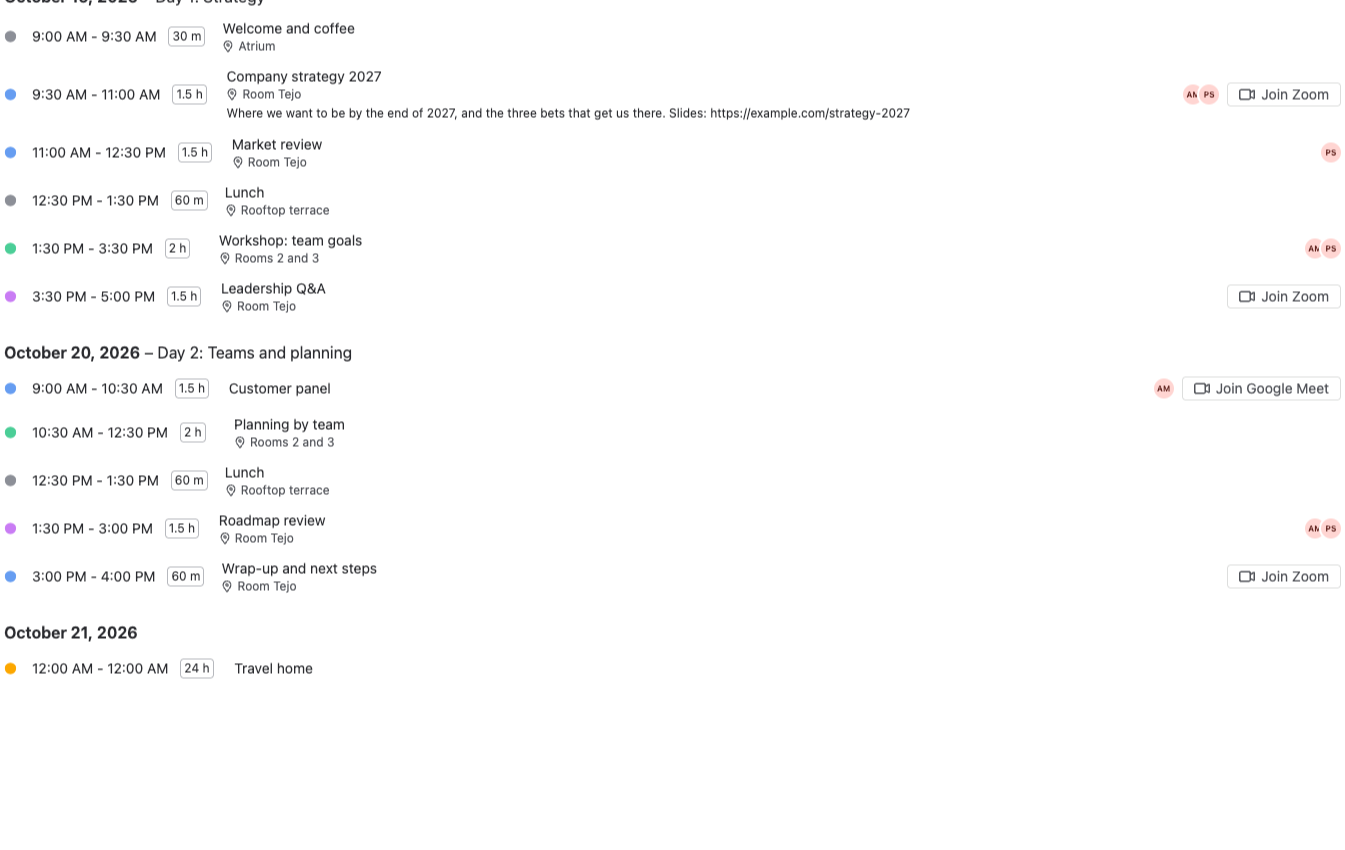
In the List view, select Show N earlier events to see past events too. Events with a video call show a Join button right in the list.
To set the view everyone sees when the calendar opens, use Calendar settings.
Only my events
Select Only my events in the header to see only the events you're added to as a person. The button then shows how many events are on screen, for example Only my events · 3 of 12. Events with nobody added are hidden too.
Select it again to see all events. The filter is yours alone: other people still see every event.
Only my events isn't shown to people who aren't signed in, for example on a public Confluence page.
Dates, times and theme
- Dates and times follow your own Atlassian language and region settings, so each person sees their own format.
- The calendar follows the light or dark theme of Confluence or Jira.
- The calendar's own words, such as Today and the view names, are in English.
Related
- Event details: add people to events, so Only my events works.
- Calendar settings: the default view, weekends and working hours.
- Day headers: labels that show in the week, day and list views.