Turn off or replace a link
Turn off a link to stop it working at once, or replace its URL when the link reached more people than it should. Other links on the same work item or board keep working.
Before you begin
- To turn off a link: you can see the work item or board. Anyone who can see it can turn off any of its links, whatever the sharing policy says. A filter link can be turned off by its creator and by Jira admins.
- To replace a URL: you can change the link. That's the person who created it, a Jira admin, or anyone the Who can manage other people's links setting includes.
Turn off a link
-
Open the share window for the work item or board. The window opens on its list of links.
-
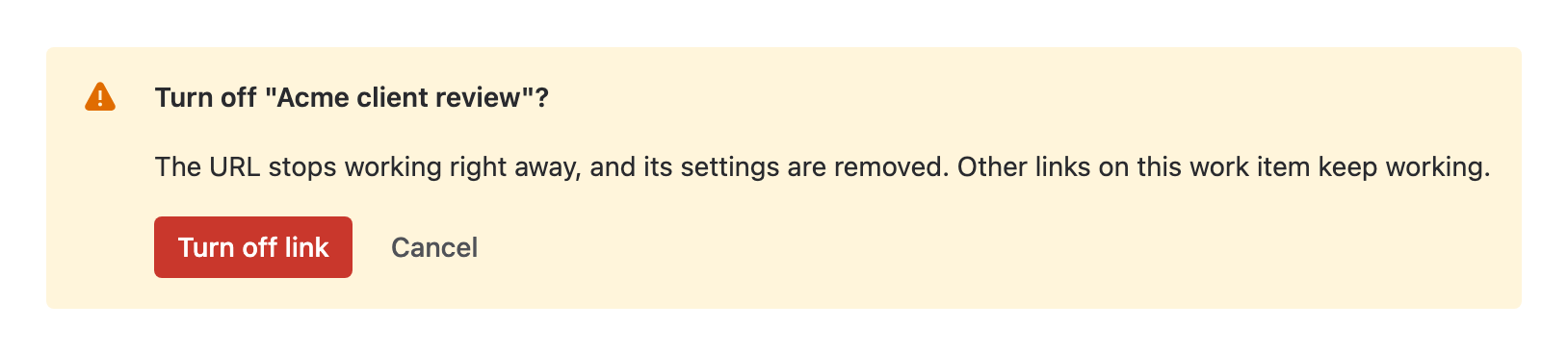
Select the link's status button (On or Expired), then select Turn off link.... The window asks you to confirm.
-
Select Turn off link.
warningThis can't be undone. The URL stops working right away, and the link's settings and activity are deleted. Sharing again makes a new URL.
Result: Link turned off appears. Viewers who open the URL see This link isn't active.
To turn off a filter link, go to Apps > Share Public Link, select More actions (⋯) in the link's row, then select Turn off link.
Replace a link's URL
Replace the URL when a link may have been forwarded further than you intended. The link keeps its label, settings, password, expiry and activity, and gets a new URL.
- Open the link's settings in the share window.
- In the link bar, select Public link is on, then select Replace URL.... The window asks you to confirm.
- Select Replace URL.
Result: URL replaced appears, and the link bar shows the new URL. Send it to the people who should keep access. The old URL shows This link isn't active.
Filter links can't be replaced. Turn off the filter link and create a new one instead.
Cut off one audience
Give each audience its own link from the start. Then you can turn off one audience's link and leave the others working. See Give each audience its own link.
Related
- Set when a link expires: let a link stop working on a date.
- Review and turn off links across the site: for Jira admins, every link on the site.
- Error: "This link isn't active": what viewers see, and why.