Protect a link with a password
Add a password to a link, so viewers must enter it before any content loads. Use it when the link might be forwarded, or when the work item, board or filter holds anything sensitive.
Before you begin
- App permission: you can change the link. That's the person who created it, a Jira admin, or anyone the Who can manage other people's links setting includes.
- Decide how you'll send the password. Send it through a different channel from the link, for example the link by email and the password by phone or chat.
Add a password
-
Open the link's settings in the share window, or start a new link.
-
Select the Access tab.
-
Next to Protect with password, select Set password.
-
Enter the password. A password will be set when you save. appears below it.
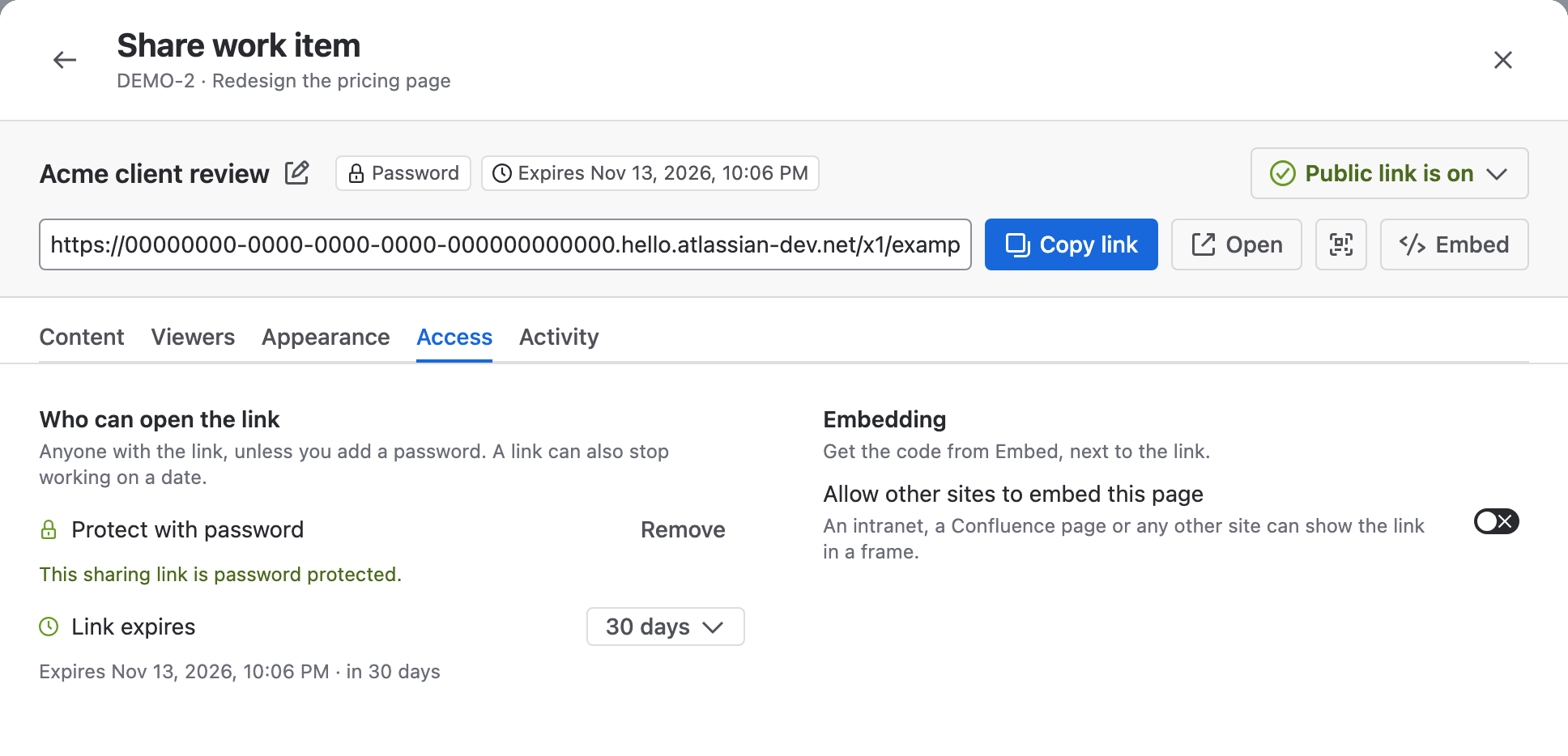
-
Select Save changes, or Create link for a new link.
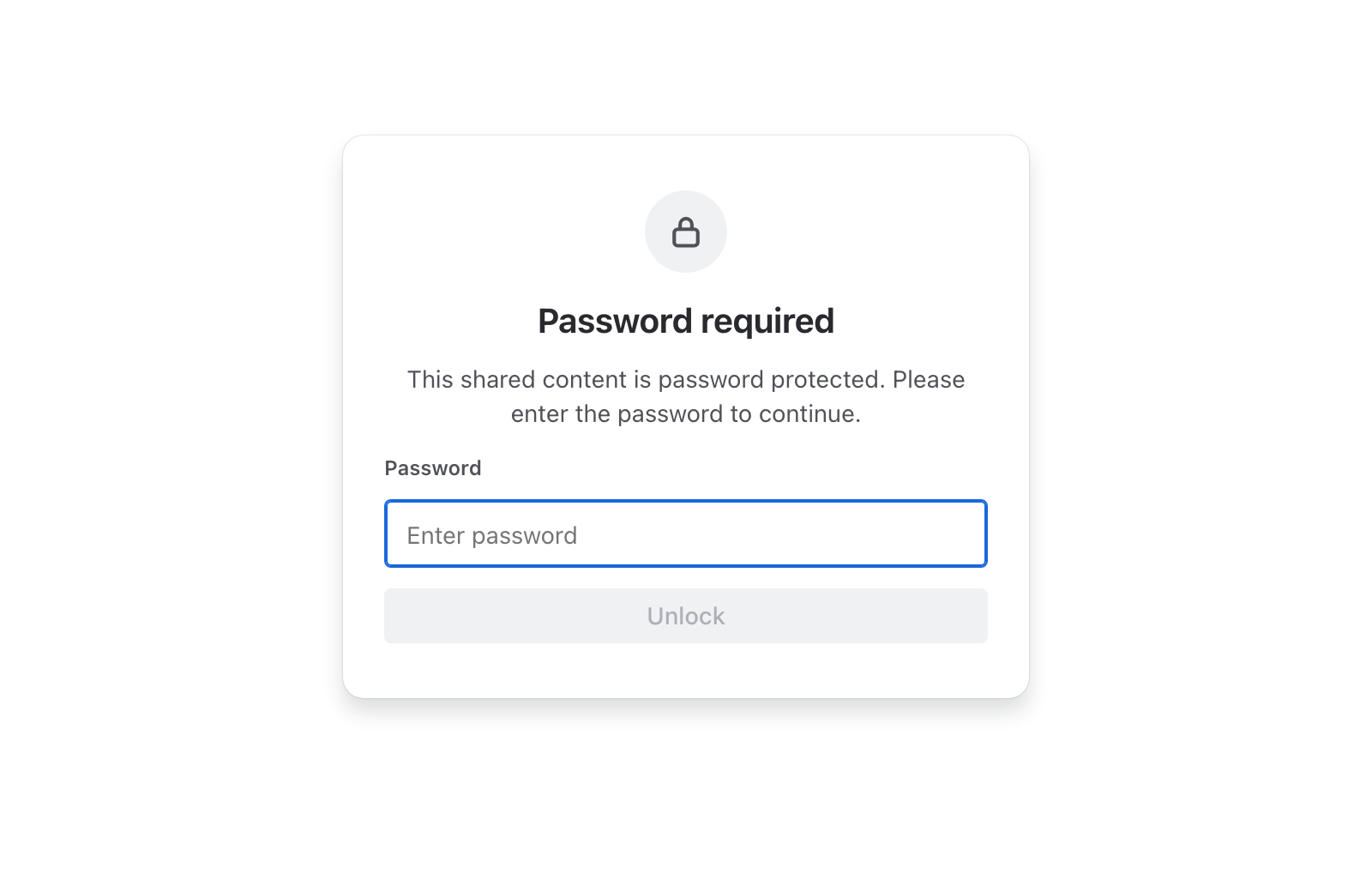
Result: The link bar shows a Password chip. Viewers see Password required before any content, and the page loads only after they select Unlock with the right password.
Change or remove the password
The app stores only a salted hash of the password, so nobody can read it again, including you.
- On the Access tab, select Remove. Password protection will be removed when you save. appears.
- To set a new password, select Set password and enter it. To remove the password, skip this step.
- Select Save changes.
A changed password applies straight away. Viewers enter the new one the next time they load the page.
What viewers see
| Situation | What the page shows |
|---|---|
| Before the password | Password required and a password field. Nothing from Jira is loaded yet |
| A wrong password | Incorrect password. Please try again. |
| The right password | The shared content. Reloading the page asks for the password again |
Wrong attempts appear on the link's Activity tab as Wrong passwords, 7 days. See Link activity.
Related
- Set when a link expires: make the link stop working on a date.
- Turn off or replace a link: give the link a new URL and keep its password.
- Data security and privacy: how the app stores passwords and link settings.