Export events
Download a calendar's events as an ICS file for Outlook, Google Calendar or Apple Calendar, or as a CSV file for a spreadsheet. In Confluence, page exports to PDF and Word include the calendar too.
Before you begin
Everyone who can see a calendar can export it, including people who can't edit it.
Download events as ICS or CSV
-
Select More actions (•••) > Export…. In a space calendar, use the ••• menu at the top of the page.
-
In Export options, choose a format:
- *.ics file: for Microsoft Outlook, Apple Calendar and Google Calendar.
- *.csv (comma-separated values) file: for Google Calendar and spreadsheets.
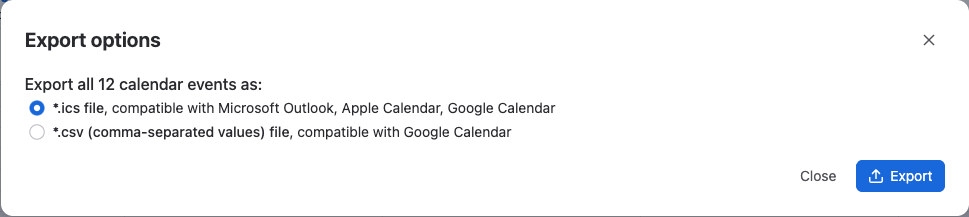
-
Select Export.
Result: Your browser downloads Events.ics or Events.csv with every event in the calendar, including its title, times, description, location and link. Only my events doesn't limit the export.
People on events aren't exported. Calendar apps expect email addresses for attendees, and Event Planner doesn't store them.
To add the events to your own calendar, import the file in your calendar app. The file is a copy: later changes in Event Planner don't reach it, so export again after the plan changes.
Export a Confluence page with its calendar
When you export a Confluence page to PDF or Word, each Event Planner macro becomes a list of its events, grouped by day. Each day shows its day header, and each event its time, title, description, location, link and people.
An Embed space calendar macro exports the same way, under the calendar's name, for the person exporting. If they can't see the calendar, the export says so instead.
Related
- Views: read the plan in the List view before you export it.
- Data security and privacy: exports are built in your browser, not on a server.
- Lock a calendar: freeze the plan before you share it.