Bring your existing Mermaid diagrams
Move the Mermaid diagrams you already have, in GitHub READMEs, Markdown files, Mermaid Live or pasted code blocks, into Confluence and Jira without retyping them.
Problem: Your team writes Mermaid in repositories and on mermaid.live. In Confluence and Jira it shows up as code, or as screenshots that are out of date.
Solution: Import the files and links into the diagram editor, and let the app draw the Mermaid code blocks that are already on your pages and work items.
What you'll need
- Mermaid Diagrams installed for the product you use. See Get started.
- Permission to edit the page, or the Edit work items permission in the Jira space.
Choose the right way in
| Your diagrams are… | Do this | Result |
|---|---|---|
In a README.md or another Markdown file | Import the file | Each ```mermaid block becomes a diagram in a macro or panel |
In .mmd or .mermaid files | Import the file | The diagram is added to a macro or panel |
| On mermaid.live | Import the edit or view link | The diagram is added to a macro or panel |
| Code blocks on a Confluence page | Turn them into macros | The page shows diagrams instead of code |
| Code blocks in a Jira description or comment | Edit them in place | The code block stays, and the app draws it |
Import a README into Confluence
-
Open the page where the diagrams belong. Add a Mermaid Diagram macro and select Create diagram.
-
Under Start your diagram, select Import.
-
Drop the
README.mdfile, or select Choose a file. The dialog lists each Mermaid diagram in the file with the heading it's under.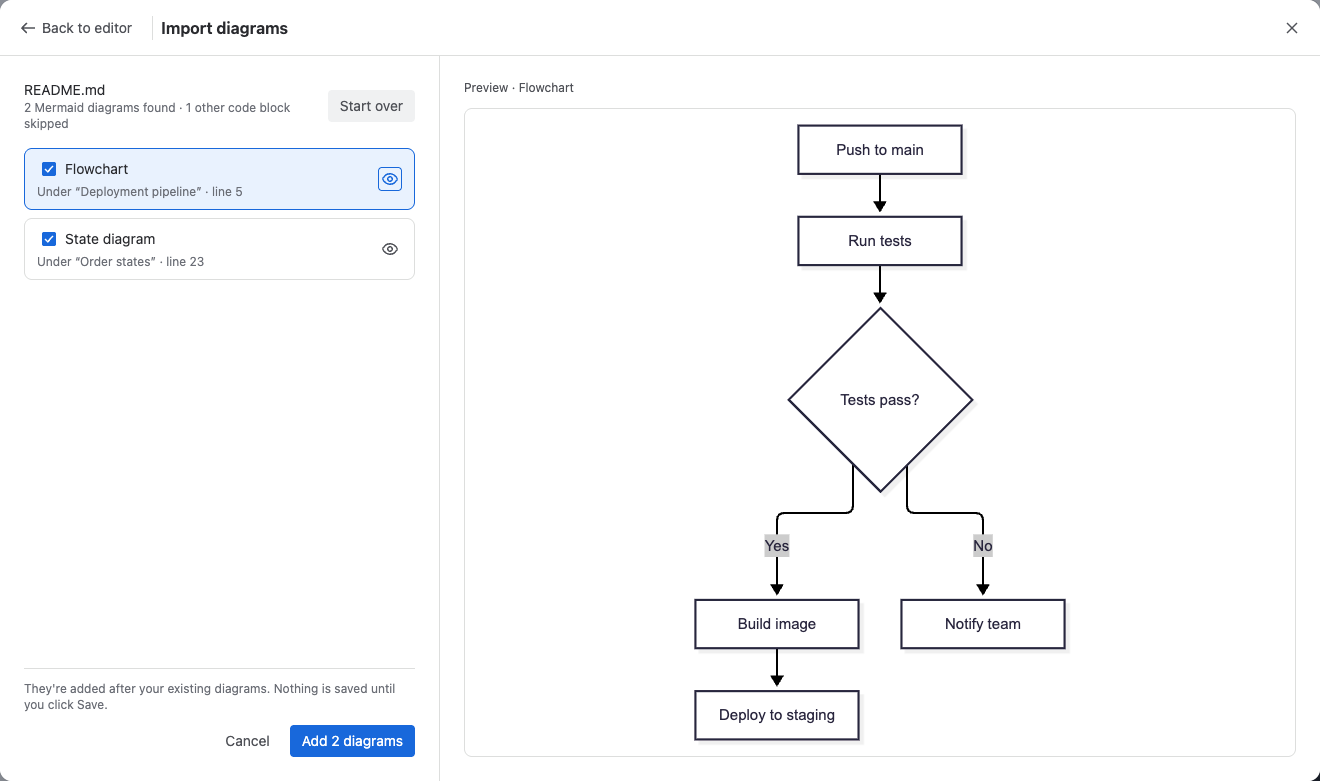
-
Clear any diagram you don't want, then select Add 2 diagrams.
-
Select Save and close, then publish the page.
Result: The macro holds one diagram per Mermaid block, and readers page through them. Code blocks in other languages, such as Bash, are skipped.
Check that it works
- Compare a diagram on the page with the same code on mermaid.live. The app uses Mermaid 12.1, like mermaid.live, so they look the same.
- If a diagram looks different from an older screenshot, the difference comes from Mermaid 12's new default look. See Keep the previous look.
Related
- Import diagrams: links, files and limits in detail.
- Mermaid code in your content: how the app finds Mermaid code on pages and work items.
- Draft a diagram with AI: turn a description or a screenshot into Mermaid code.