Edit Mermaid code blocks in Jira
See the Mermaid code blocks in a work item's description and comments drawn as diagrams, and edit them in the diagram editor. The code stays where it is, as a code block.
Before you begin
- To see the diagrams: permission to see the work item.
- To edit a diagram in the description: the Edit work items permission.
- To edit a diagram in a comment: Edit own comments for your own comments, or Edit all comments for other people's.
- An active Mermaid Diagrams license to edit.
Edit a code block
-
Open the work item. When the description or a comment holds Mermaid code, Jira shows a Mermaid Diagrams section in the right-hand column, with the number of diagrams found.
-
Select Mermaid Diagrams to expand the section. You may need to scroll past Details and More fields to find it.
Each diagram is a card that says where it was found, such as Description or Comment, and whether you can edit it: Editable or Read-only.
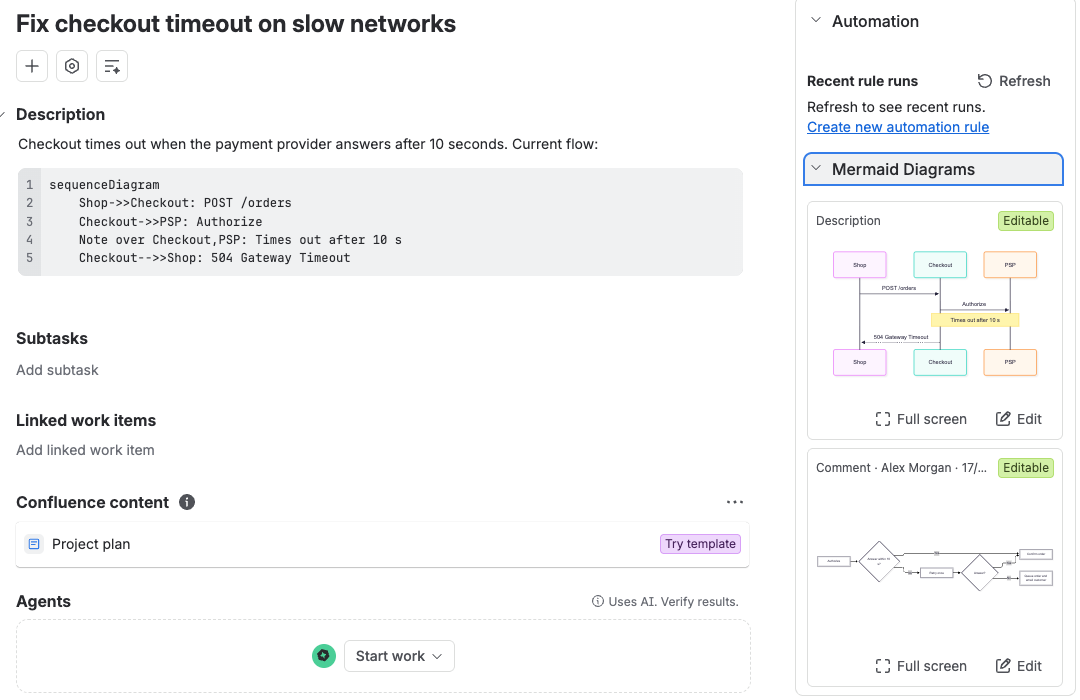
-
On the card, select Edit. The editor opens and says what saving changes, for example "Saving updates this work item's description."
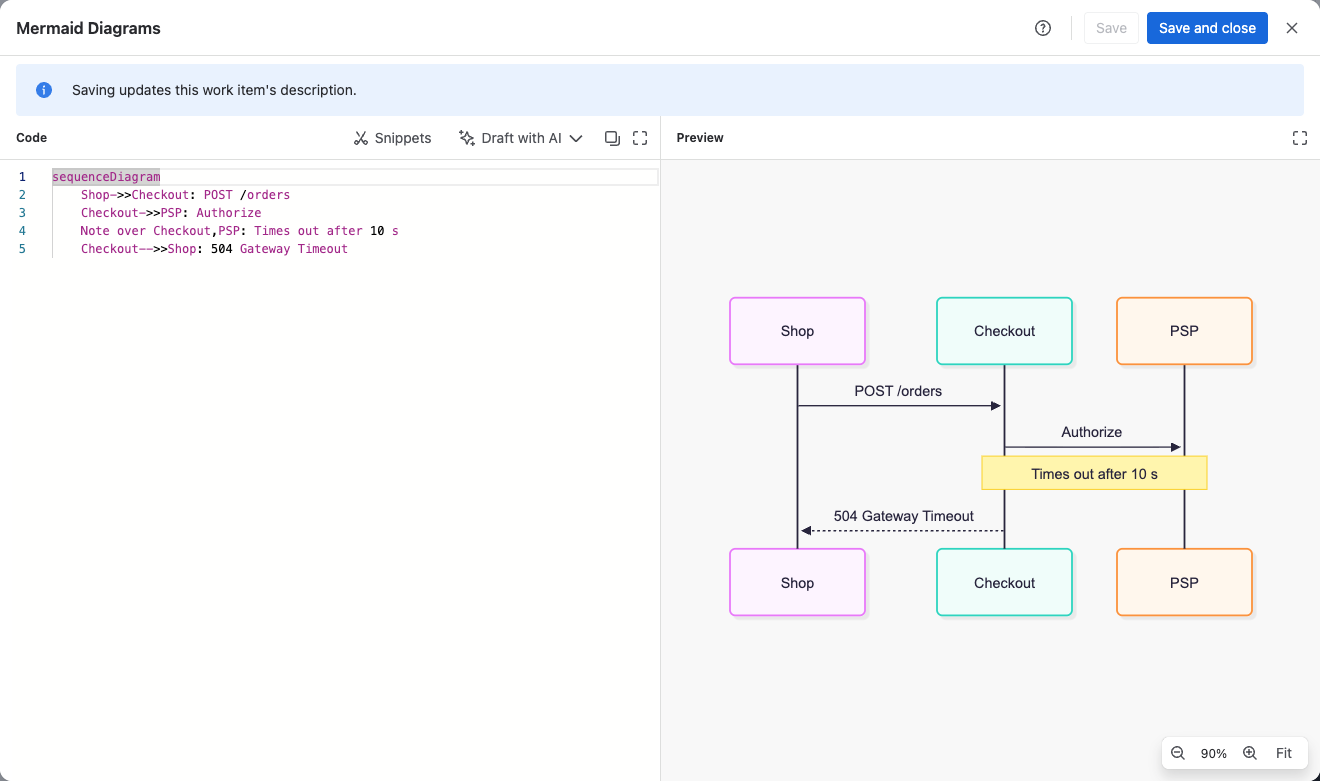
-
Change the code, then select Save and close.
Result: The code block in the description or comment is updated, and Jira shows Saved to the description or Saved to the comment.
To look at a diagram without editing it, select Full screen on its card. If the work item also has the Mermaid Diagrams panel, the panel lists the same diagrams under Found in this work item.
Why a card is read-only
Hover over Read-only to see the reason:
- You don't have the permission to edit the work item or the comment.
- The comment is someone else's and you can only edit your own.
- The Mermaid fence is typed as plain text rather than in a code block. Edit it in Jira itself.
- The Mermaid Diagrams license isn't active.
Limits
- Up to 20 diagrams are shown per work item.
- The newest 1,000 comments are searched.
- Jira keeps at most 32,767 characters in a description or comment. A longer diagram can't be saved there; keep it in the panel instead.
Related
- Add diagrams to a Jira work item: keep diagrams in the panel instead of in code blocks.
- Mermaid code in your content: which code blocks are found.
- Permissions: every permission the app relies on.