Transitions Count
Overview
 | The Transitions Count field is a read-only metric that tracks how many times a work item transitions between statuses in Jira. To create and configure this field, refer to the native Jira Custom Fields page. |
|---|
When configuring this field:
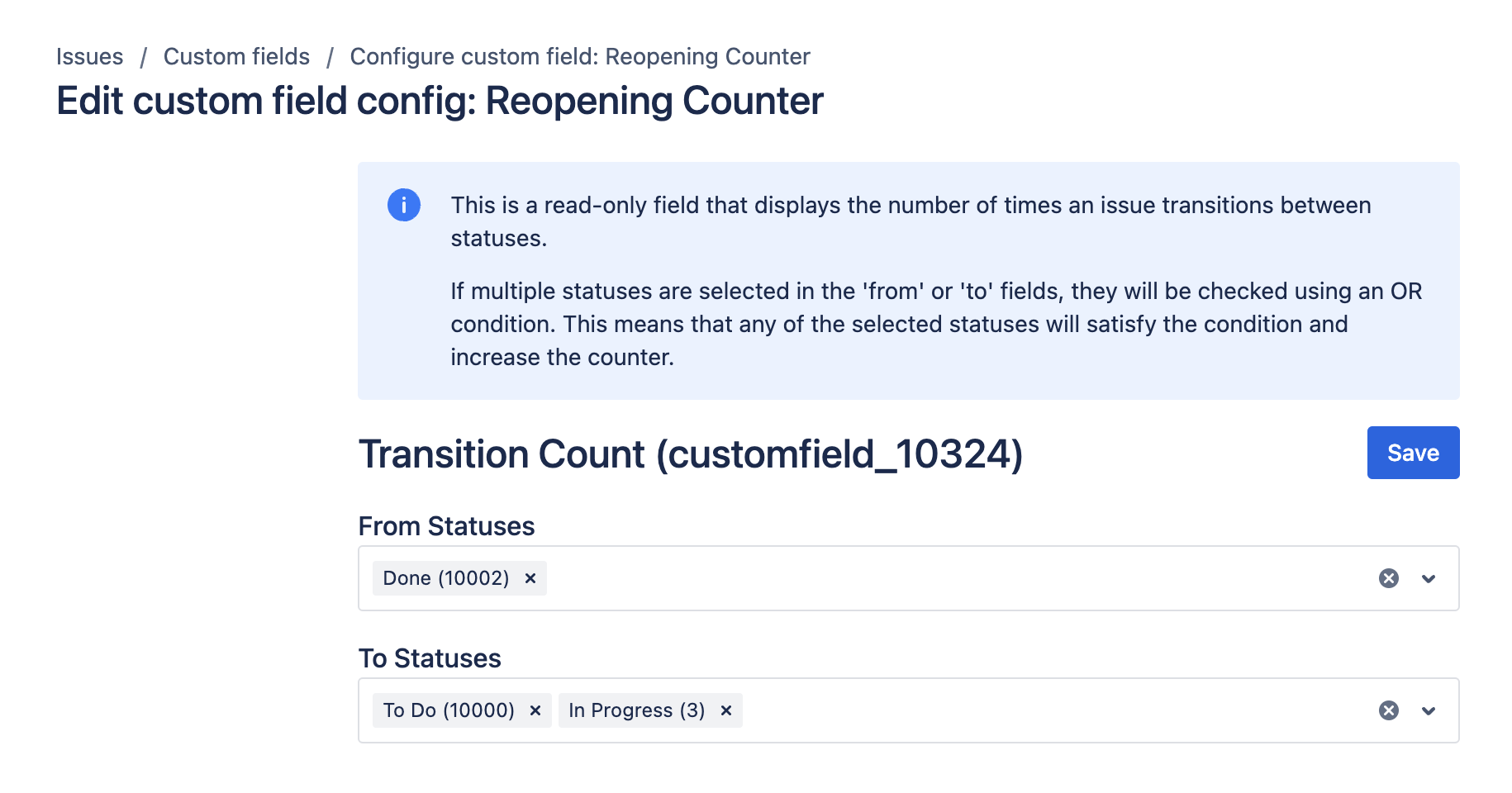
- If multiple statuses are selected in the 'from' or 'to' fields, they are evaluated using an OR condition. This means that any selected status will increase the counter.
Use cases
- Work Item Attention Highlighting: Helps identify work items needing more attention, such as tracking the number of times a work item is reopened.
- Quality Assurance Metrics: Provides KPI/SLA metrics, like counting transitions to critical statuses such as 'Escalate', crucial for support teams.
Inputs and defaults
- From statuses: Optional filter for source statuses.
- To statuses: Optional filter for destination statuses.
- If multiple statuses are selected in either input, they are evaluated with an OR condition.
Example configuration
Count reopen transitions:
- From statuses:
Done - To statuses:
In Progress,To Do
With this setup, each transition from Done to either selected target status increments the count.
Expected result
- The field value is a number.
- The number increases when a work item transitions through matching status paths.
- Non-matching transitions do not change the value.
Edge cases
- Historical work items may show stale values until recalculation triggers run.
- After major configuration changes, run Reindex for broad consistency.
Create and configure the custom field
Create and configure your custom field by following the instructions in our Getting Started guide on FieldCraft Custom Field Configuration.