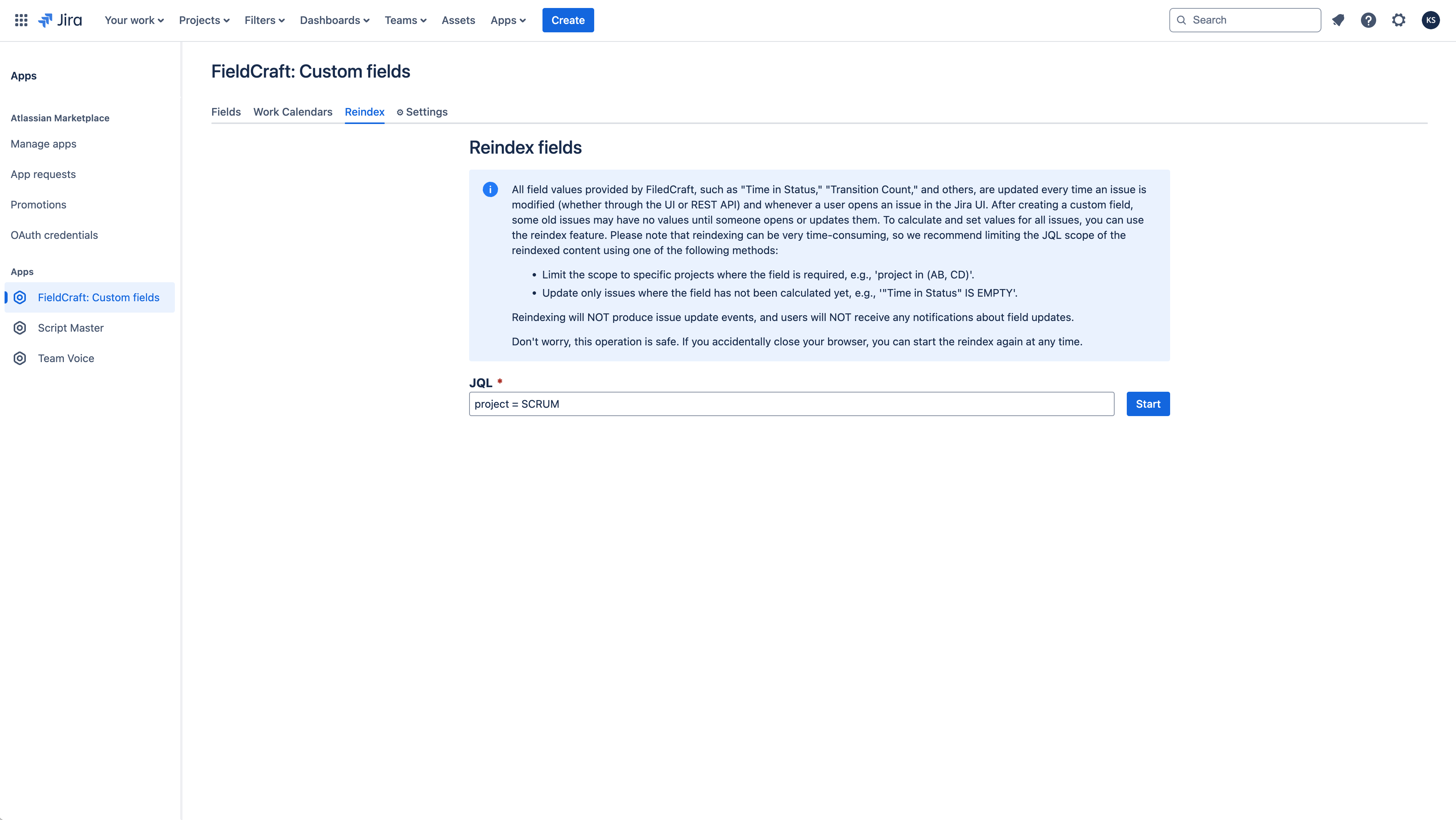
Reindexing
Prerequisites
- FieldCraft is installed in your Jira Cloud site.
- You have Jira admin access to open Configuration > Apps > FieldCraft: Custom Fields > Reindex.
- You have a JQL query that targets the work items you want to recalculate.
Overview
Reindexing is crucial in Jira to maintain accurate search results, optimal performance, and data integrity, especially after making changes to custom field configurations. For Jira administrators, reindexing ensures that any new configurations are consistently applied across all work items and spaces.
If you're using the FieldCraft app with calculated fields, it's important for Jira administrators to reindex after updating field configurations. This not only applies the changes but also recalculates field values for older work items that haven't been accessed in a while. Reindexing ensures that calculated fields have up-to-date values, even for work items that haven't been interacted with recently.
In Jira Cloud, calculation and recalculation behavior for "Time in Status" and other calculated fields follows this model:
- Guaranteed: A user opens the work item in the work item view.
- Best-effort: The work item is updated and the app captures the update event (this may occasionally be missed due to platform limitations).
- Admin-triggered: A Jira administrator runs reindex, as described below.
For the canonical behavior and limitations, see Performance and limitations.
How to perform a reindex
To ensure your calculated fields are up to date, follow these steps to perform a reindex in Jira:
- Open Configuration > Apps > FieldCraft: Custom Fields > Reindex.
- Enter the JQL to reindex only the affected work items. For example,
project = SCRUMwill target all work items within the SCRUM space. - Select Start, and make sure not to close the tab until the reindexing process completes.