First/Last Field Change Time
Overview
 | The First/Last Field Change Time field is a read-only metric that shows the date and time of the first or last change to a specified field in Jira. This field recalculates when a work item is opened in the work item view, and update-event recalculation can occur on a best-effort basis. To create and configure this field, refer to the native Jira Custom Fields page. |
|---|
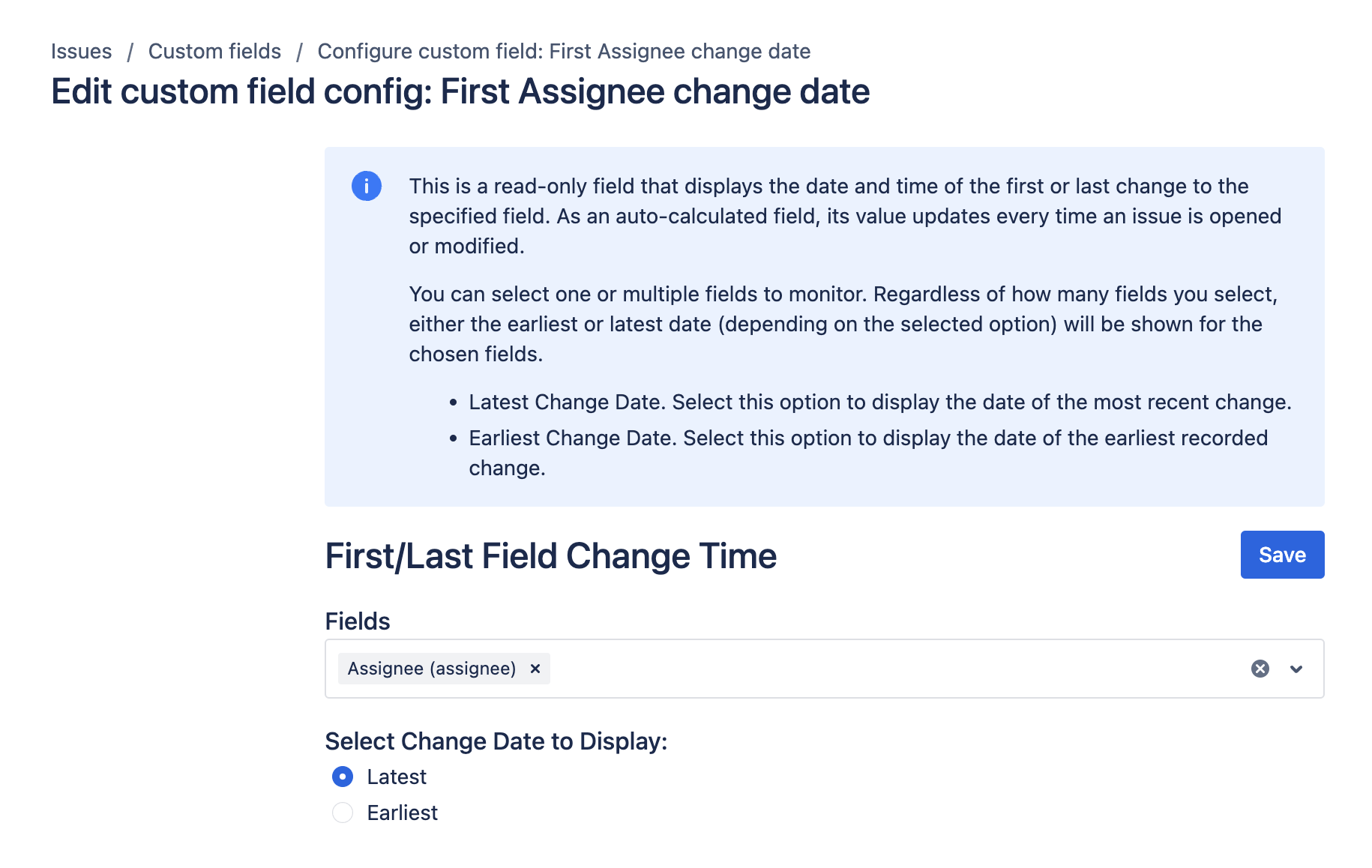
You can monitor one or multiple fields with this feature. Depending on your selection, it will display either the earliest or latest change date for the chosen field(s).
- Latest Change Date: Displays the date of the most recent change to the selected field.
- Earliest Change Date: Displays the date of the first recorded change to the selected field.
Use cases
- SLA Tracking: Monitor and report on compliance with service-level agreements by tracking the latest update time of critical fields.
- Auditing and Compliance: Keep track of when important information fields were first or last updated to ensure regulatory compliance.
- Performance Analysis: Evaluate team efficiency by tracking how quickly certain fields are updated over time.
- Work Item Resolution Metrics: Identify bottlenecks and improve processes by analyzing the time taken for the first or last change in specific fields related to work item resolution.
Inputs and defaults
- Mode: Select whether the field shows the first change date or the last change date.
- Fields to monitor: Select one or more fields to track.
Example configuration
Track the latest update to a priority field:
- Mode:
Latest Change Date - Fields:
Priority
This setup shows the most recent timestamp when the work item priority changed.
Expected result
- The field returns a date-time value.
- In latest mode, the value updates when a monitored field changes.
- In earliest mode, the value keeps the first recorded change for monitored fields.
Edge cases
- If monitored fields are never changed, the field can remain empty.
- Historical work items may require Reindex for broad backfill after configuration updates.
Create and configure the custom field
Create and configure your custom field by following the instructions in our Getting Started guide on FieldCraft Custom Field Configuration.
For recalculation reliability details, review Performance and limitations.