Show the number of comments on work items
Add a read-only Comments count field to work items, so busy discussions stand out on the work item and in lists.
Problem: Jira doesn't show how many comments a work item has until you scroll to the end of it. Long discussions often point to unclear requirements, but nobody sees them at a glance.
Solution: You create a Scripted Number Field in Jira and give it the built-in Number: Comments count snippet. Before you save, you check its values on real work items in the field preview.
What you'll need
- Script Master for Jira, with an active license. See Get started.
- The Administer Jira global permission.
- A Companion App connected to Script Master. Scripted fields run there. See The Companion App.
- A screen used by your space, for example the screens of space
DEMO.
Set it up
1. Create the field
- In Script Master, select the Custom Fields tab, then Create custom field. Jira's Custom fields page opens.
- Select Create custom field, then Scripted Number Field and Next.
- Name the field
Comments countand select Create. Select the screens of spaceDEMO, then select Update.
2. Add the script
-
Back on the Custom Fields tab, in the row of Comments count, select Actions > Contexts and default value. Jira's context page opens in a new tab.
-
In the context, select Edit custom field config. The Script Master editor opens.
-
Select Snippets, then Number: Comments count. The library shows a script that asks Jira for the work item's comment total. Copy it with the copy button, close the library, and paste it into the editor.
-
In Preview on work items, keep the JQL, choose
10in Sample, and select Run preview.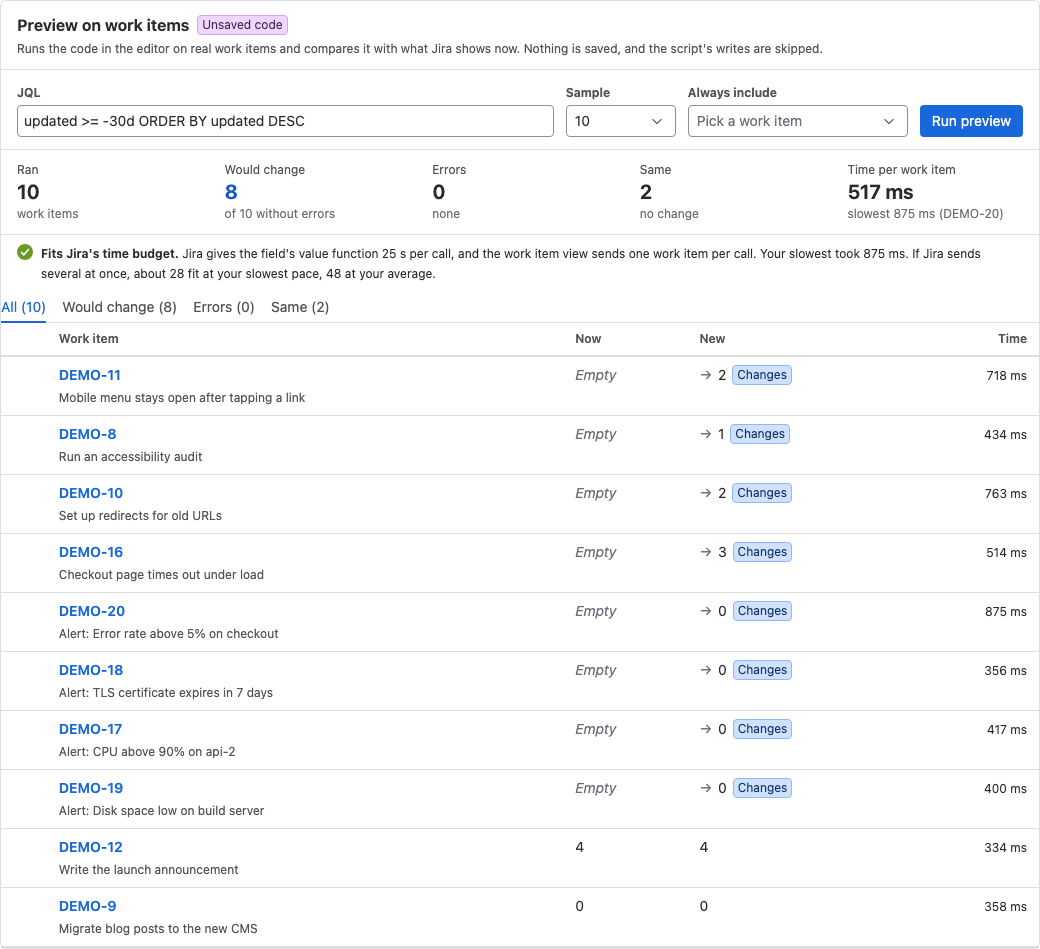
-
Check that the New column shows the number of comments, with no Errors.
-
Select Save.
Result: Configuration saved shows the new version number. Jira computes the field the next time someone opens a work item that shows it.
What your team will experience
- Someone opens a work item in
DEMO. Comments count shows the number of comments, for example4. - In lists and filters that show the field, the team sees the value Jira stored the last time someone opened each work item.
Check that it works
- Open a work item in
DEMOthat has comments. - Confirm that Comments count matches the number of comments.
- Add a comment, reload the work item, and confirm that the value goes up by one.
If the field stays empty, open the Custom Fields tab. The Last 7 days column counts work items whose value failed.
Related use cases
- Show who worked on a work item or page: more information on work items, drawn in the browser.
- Scripted custom fields: field types, return values and limits.
- Preview a field on work items: every column and status of the preview.