Replace a label across content
Swap one label for another on many pages, blog posts and attachments at once, so a renamed label doesn't leave old content behind. On the Tools page, this is Replace Label.
Applies to: Script Master for Confluence · Cloud
For each matching item, the tool adds the new label, then removes the old one.
Before you begin
- Confluence permission: permission to add and remove labels on the content in scope.
- App permission: Replace Label is available to you. It's available to all users unless an admin changed that. See Set who can use each tool.
Confluence stores labels in lowercase. The new label can use lowercase letters, numbers, hyphens and underscores, up to 255 characters.
Replace the label
-
Go to Apps > Script Master Tools, then select Replace Label.
-
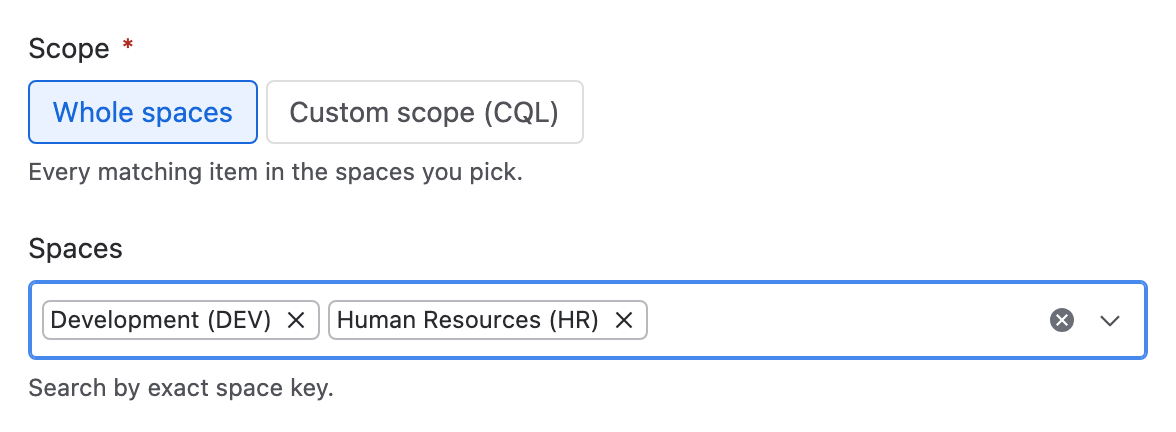
Under Scope, choose Whole spaces and pick the spaces, or choose Custom scope (CQL) and enter a query. With CQL, the tool ignores the spaces.
-
In Label to replace, enter the old label. In New label, enter the new one. The old label matches whatever its case.
-
Under Content types, keep on Pages, Blog posts or Attachments. At least one must be on.
-
Select Check content. The report shows how many items carry the label, and the CQL the tool will run.
-
Select Replace label.
Result: Label replaced says how many items changed, and lists up to 10 failures with the reason for each.
What the check tells you
| Line | What it means |
|---|---|
| N items carry the label "old" | How many items matched. Zero is a warning, not a failure. |
| Only the first 5,000 items are included | The scope matched more. Narrow it and run the tool again for the rest. |
| The label will be replaced with "new" | The lowercase label the tool writes. |
What it changes
| Item | Effect |
|---|---|
| The new label | Added to every matching item. Adding a label that's already there changes nothing. |
| The old label | Removed from every matching item, after the new one is added. |
| Page bodies and versions | Unchanged. A label change makes no new page version. |
| App content | Not reached. Confluence Cloud's API can't find custom content by label. |
If a run stops partway, an item can keep both labels: the tool adds the new label before it removes the old one. Run the tool again on the same scope to finish those items.
Undo a run
The tool has no undo. To reverse a run, run it again with the two labels swapped. Items that failed the first time never got the new label, so the second run leaves them alone, still carrying the old one.
Related
- Add a label to child pages: label a page tree instead of a query.
- Tools limits and behavior: the cap, retries and partial failures.
- Tools: every tool and how a run works.