Set the resolution on many work items
Set or clear the resolution on every work item a JQL query returns, so a cleanup doesn't mean editing items one at a time. On the Tools page, this is Bulk Set Resolution.
Applies to: Script Master for Jira · Cloud
The tool edits the resolution field directly. It doesn't run a workflow transition.
Before you begin
- Jira permission: permission to edit the work items your query returns.
- App permission: Bulk Set Resolution is available to you. It's available to all users unless an admin changed that. See Set who can use each tool.
Set the resolution
-
Go to Apps > Script Master Tools, then select Bulk Set Resolution.
-
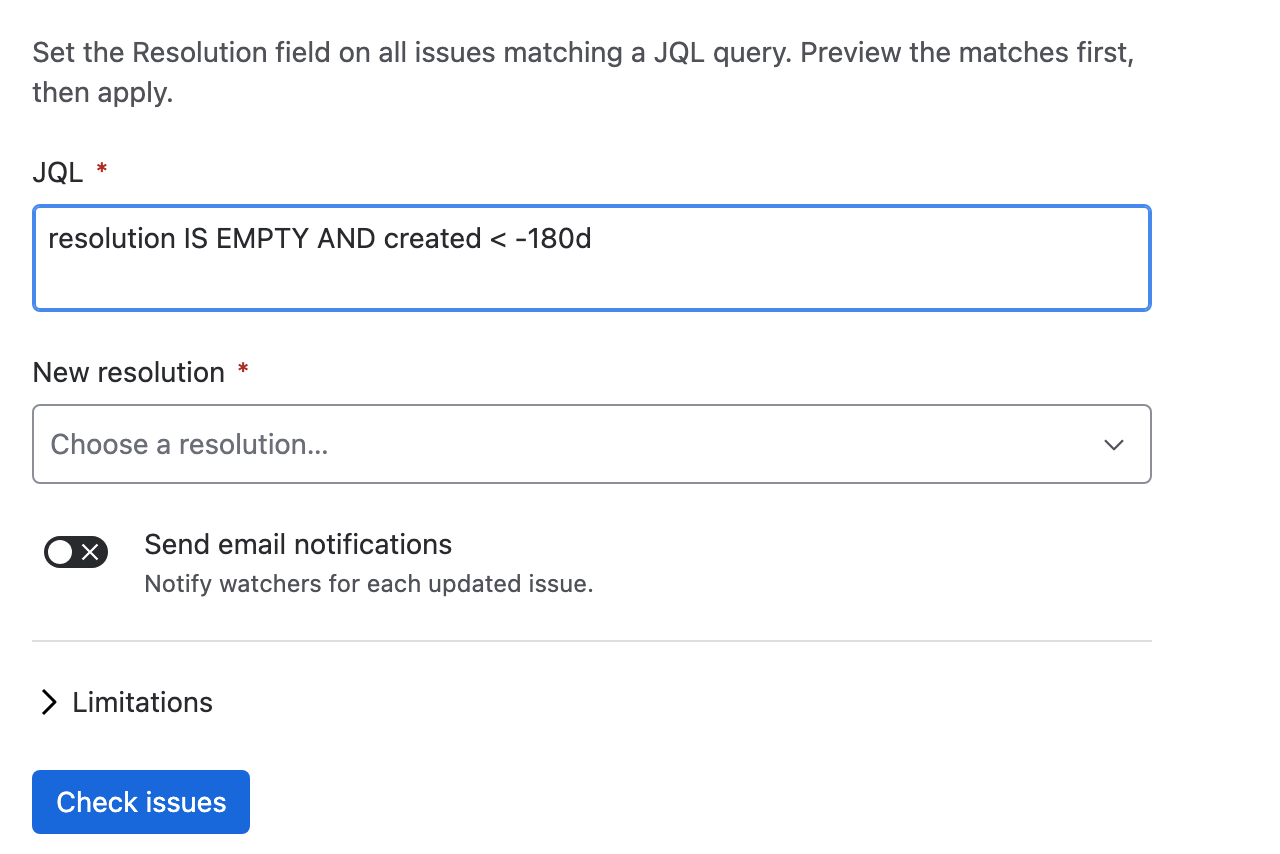
In JQL, enter the query that selects your work items, for example
resolution IS EMPTY AND created < -180d. -
In New resolution, choose the resolution. Choose None (clear resolution) to empty the field instead.
-
Leave Send email notifications off for a large cleanup. With it on, watchers get an email for each work item.
-
Select Check work items. The report shows how many work items match, and Current resolutions lists how many hold each resolution now.
-
Select Set resolution.
warningThis can't be undone, and the tool doesn't keep each work item's previous resolution. Note the Current resolutions list from the check before you select Set resolution.
Result: the Resolution updated summary says how many work items changed. It lists up to 10 that Jira didn't update, with the reason for each.
What the check tells you
| Line | What it means |
|---|---|
| N work items match this JQL | How many work items the query found. Zero is a warning, not a failure. |
| Only the first 5,000 work items are included | The query found more. Narrow it and run the tool again for the rest. |
| The resolution will be set to "name" | Or The resolution will be cleared on each issue when you chose None (clear resolution). |
| Watchers will be notified by email | Or Watchers will not be notified, matching Send email notifications. |
What it changes
| Item | Effect |
|---|---|
| Resolution | Set to your choice, or cleared. |
| Status | Unchanged. A work item can end up resolved while its status is still open. |
| Resolved date | Managed by Jira. The tool can't set it, and it may stay empty. |
| Workflow | No transition runs, so workflow post functions, validators and conditions don't run either. |
| Work item history | Shows the edit under your account. |
A failure on one work item doesn't stop the run. For example, a work item whose edit screen lacks the resolution field fails on its own, and the rest carry on.
Undo a run
The tool has no undo. To reverse a run, run it again on the same work items with the previous resolution, or with None (clear resolution). Note the Current resolutions list before you select Set resolution: it's your only record of the values before the run.
Related
- Copy custom field values: the other Jira tool.
- Tools limits and behavior: the cap, retries and partial failures.
- Tools: every tool and how a run works.