Insert content into pages
Add the same snippet to the beginning or end of many pages at once, for example a notice that a space is archived. On the Tools page, this is Insert Content into Pages.
Applies to: Script Master for Confluence · Cloud
Each edited page gets a new version labeled Script Master - Insert Content into Pages.
Before you begin
- Confluence permission: permission to edit the pages in scope.
- App permission: Insert Content into Pages is available to you. It's available to all users unless an admin changed that. See Set who can use each tool.
The snippet must be valid Confluence storage format, which is XHTML. Close every tag, quote every attribute value, and write & as &. It can be up to 50,000 characters.
Insert the content
-
Go to Apps > Script Master Tools, then select Insert Content into Pages.
-
Under Scope, choose Whole spaces and pick the spaces, or choose Custom scope (CQL) and enter a query.
-
Under Insert position, choose Beginning of page or End of page.
-
In Content (storage format), paste the snippet. Valid storage format appears when it parses. For example:
<ac:structured-macro ac:name="info"><ac:rich-text-body><p>This page is archived.</p></ac:rich-text-body></ac:structured-macro>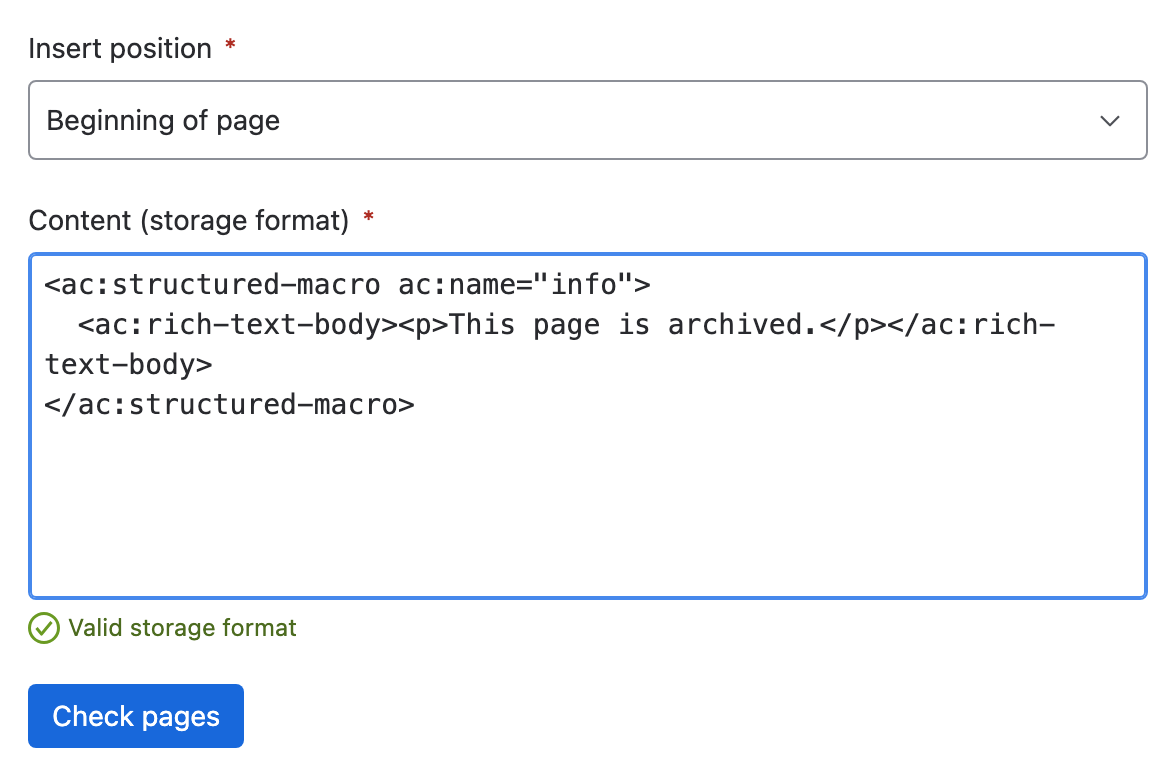
-
Select Check pages. The report lists the first 10 pages and the CQL the tool will run.
-
Select Insert content.
Result: Content inserted says how many pages changed and how many already had the content. It lists up to 10 failures with the reason for each.
What the check tells you
| Line | What it means |
|---|---|
| N pages match the scope | How many pages the query found. Zero is a warning, not a failure. |
| Only the first 5,000 pages are included | The scope matched more. Narrow it and run the tool again for the rest. |
| The snippet will be added to the beginning of each page | The position you chose. Pages that already contain the snippet are skipped. |
What it changes
| Item | Effect |
|---|---|
| Page body | The snippet goes in at the start or the end. The rest of the body is unchanged. |
| Version history | Each edited page gets a new version labeled Script Master - Insert Content into Pages. |
| Pages that already have the snippet | Skipped, so running the tool twice adds nothing. |
| Blog posts and attachments | Unchanged. The tool edits pages only. |
If someone edits a page between the tool's read and its write, Confluence reports a version conflict. The tool reads that page again once and retries.
Undo a run
The tool has no undo. Each edit is a normal page version, so restore the previous version from the page history in Confluence, one page at a time.
Related
- Replace a label across content: change labels instead of page bodies.
- Tools limits and behavior: the cap, retries and partial failures.
- Tools: every tool and how a run works.