Let viewers comment
Let the people you share with comment on a work item from the shared page, without a Jira account. Their comments land on the work item in Jira, so your team can answer them.
Before you begin
- App permission: you can change the link. That's the person who created it, a Jira admin, or anyone the Who can manage other people's links setting includes.
- Your Jira admin hasn't turned viewer comments off for the site. They're on by default, under Viewer Comments on the Sharing Policy tab.
Turn on comments for a link
-
Open the link's settings in the share window, or start a new link.
-
Select the Viewers tab.
-
Under What viewers can do, turn on Comment.
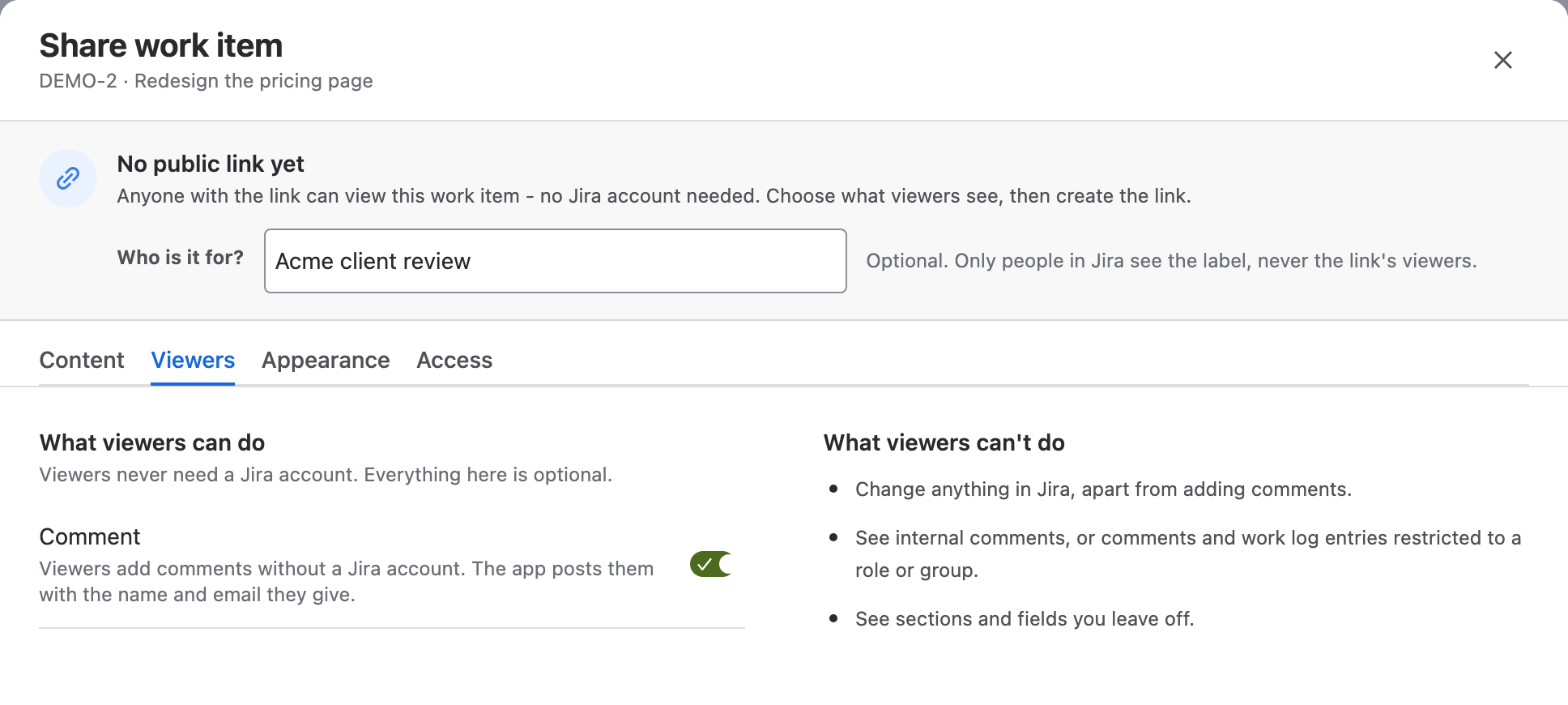
-
Select Save changes, or Create link for a new link.
Result: The shared page shows a comment box, and its top bar reads Can comment instead of View only. On a board or filter link, the box is in the work item's side panel.
Collect feedback without showing comments
Whether viewers can comment and whether they see comments are two separate settings:
| Comments section (Content tab) | Comment (Viewers tab) | Viewers get |
|---|---|---|
| On | On | The comments, and a box to add their own |
| Off | On | Only a box, under Leave a comment. They don't see any comments, their own included |
| On | Off | The comments, read-only |
With the Comments section off, the box tells viewers that their comment, name and email go to the team in Jira and aren't shown on the page. Use it to collect feedback privately.
What viewers see
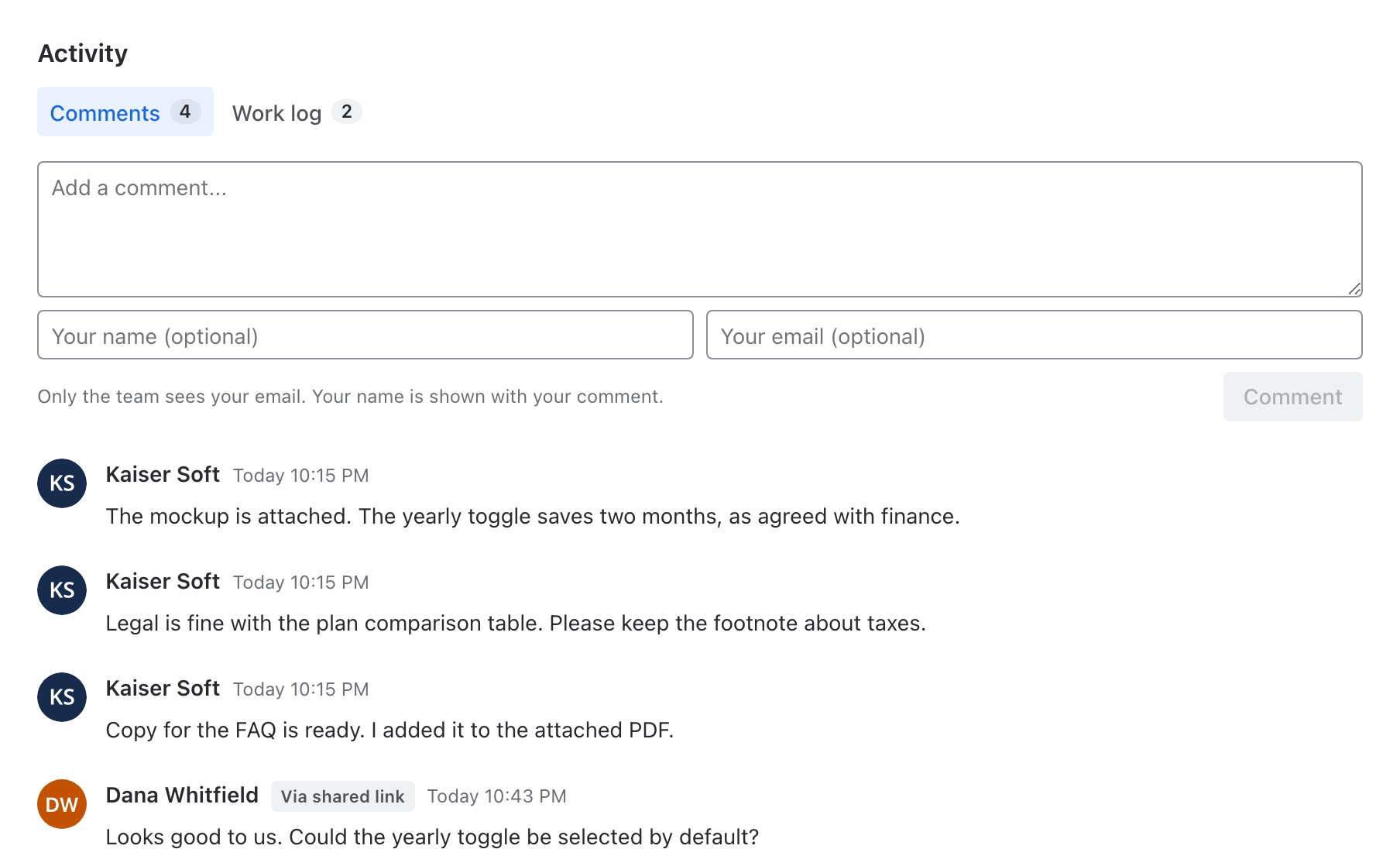
- The viewer writes a comment and, optionally, their name and email. The page remembers both in the viewer's browser for next time.
- The viewer selects Comment (or Send when comments are hidden).
- The comment appears in the list with the viewer's name, or Anonymous reader, and a Via shared link tag. The email is never shown on the page.
What your team sees in Jira
The app posts each comment to the work item itself. An info panel at the top of the comment shows:
- Comment from a shared link reader.
- From: the viewer's name and email, or "anonymous reader".
- Link: the link's label, when it has one.
- A reminder that the viewer isn't notified of replies in Jira. To answer, email them.
The audit log records each comment as posted by Link viewer.
Limits
- Each link takes at most 10 comments an hour and 50 a day. After that, viewers see "This link has had a lot of comments recently. Try again later."
- A comment can be up to 5,000 characters, and a name up to 100.
- Viewers can't reply to, edit or delete comments, or attach files.
- The app guards against spam with a hidden form field and the limits above. There's no CAPTCHA.
Related
- Share a work item: switch the Comments section on or off.
- Sharing policy settings: the site-wide switch for viewer comments.
- Data security and privacy: where viewer names and emails are stored.