Choose a theme and accent color
Give a link's shared page a theme for its audience and an accent color for your brand. A theme changes only how the page looks, not what it shows.
Before you begin
- App permission: you can change the link. That's the person who created it, a Jira admin, or anyone the Who can manage other people's links setting includes.
- New links start with your site's defaults. A Jira admin sets them under Public Page Appearance. See Sharing policy settings.
Pick a theme and color
-
Open the link's settings in the share window, or start a new link.
-
Select the Appearance tab.
-
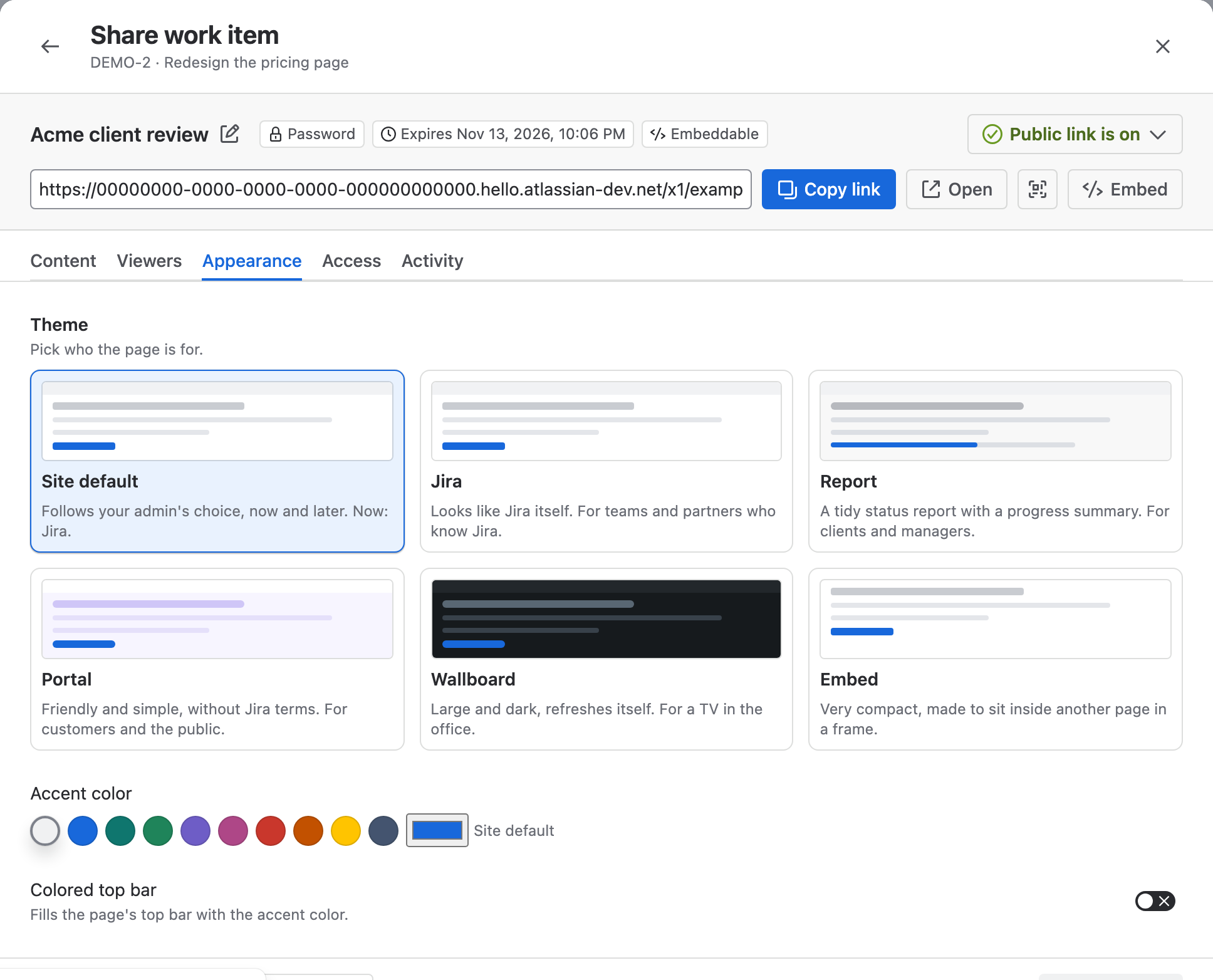
Under Theme, select the card for the page's audience. Site default follows your admin's choice, now and later.
-
Under Accent color, select one of the nine colors, or select the color box after them to pick any color. The accent colors links, the selected tab, focus rings and progress bars.
-
Optional: turn on Colored top bar to fill the page's top bar with the accent color.
-
Select Preview as viewer to check the look, then select Save changes.
Result: Viewers see the new look the next time they load the page.
If a color would be hard to read, the page uses a darker shade in light mode or a lighter one in dark mode. The window tells you when it adjusts the color.
Themes
| Theme | Made for | What changes |
|---|---|---|
| Jira | Teams and partners who know Jira | Nothing: the page looks like Jira itself |
| Report | Clients and managers | A work item reads as a document. A board becomes a progress summary with one list per column. Statuses are colored dots |
| Portal | Customers and the public | Larger text and rounder corners. No keys, priorities, estimates or avatars on cards and rows. Statuses show as Planned, In progress or Done, and a filter shows as cards |
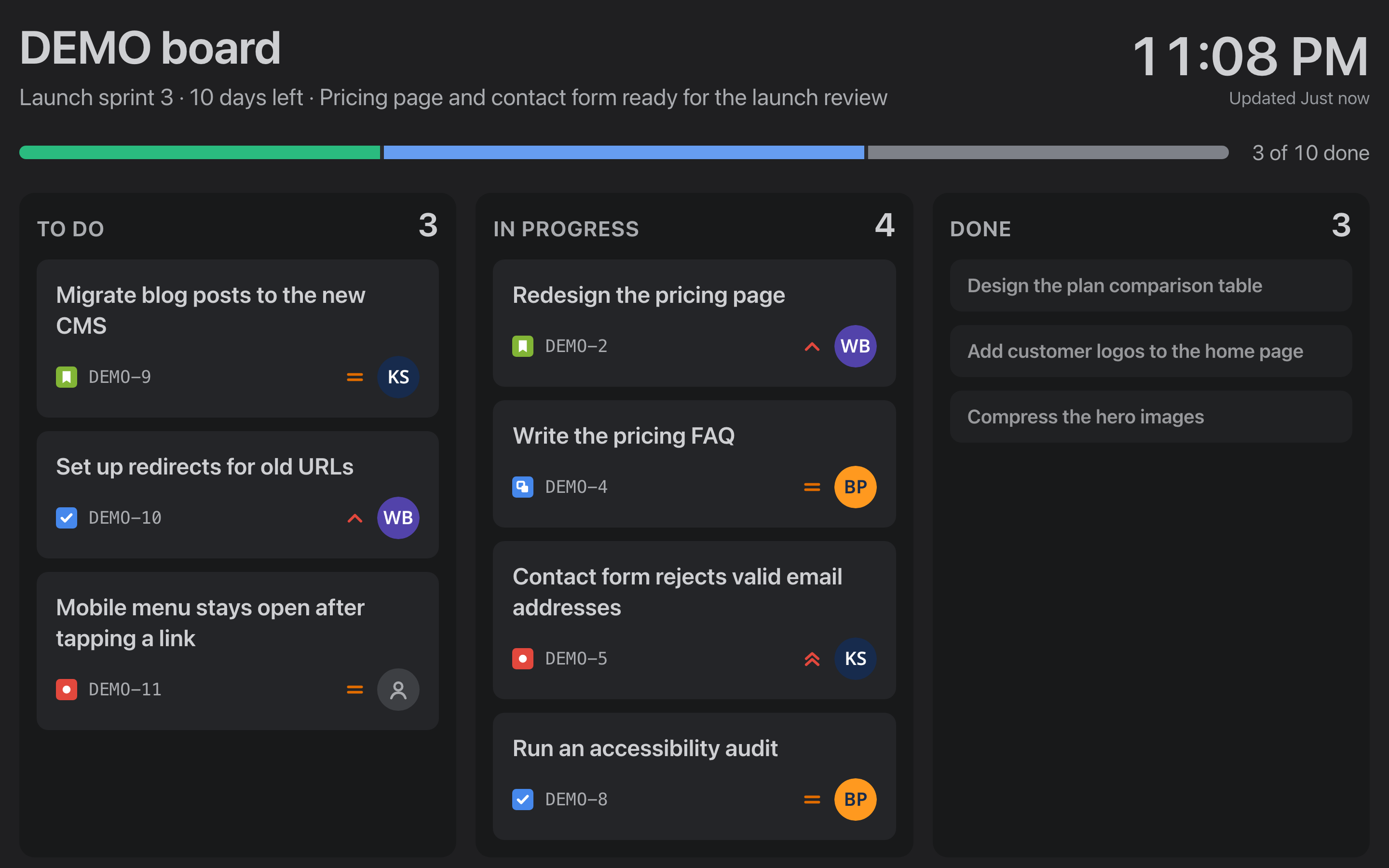
| Wallboard | A TV in the office | Large, dark and refreshes itself. A board shows its sprint, a clock, progress and the first cards of each column. Nothing to click |
| Embed | Another site, in a frame | Very compact, with a transparent background and an Open full page link instead of the top bar |
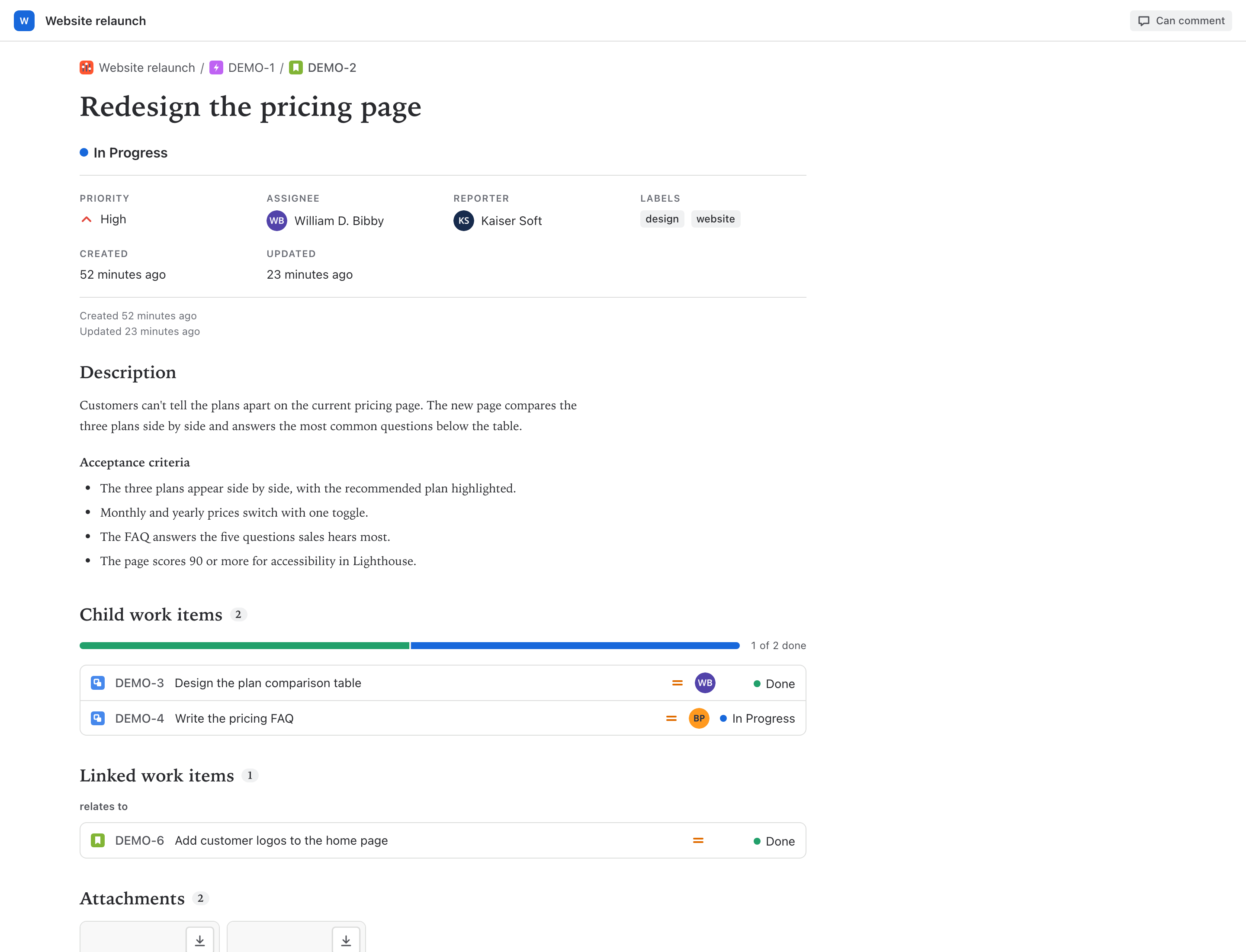
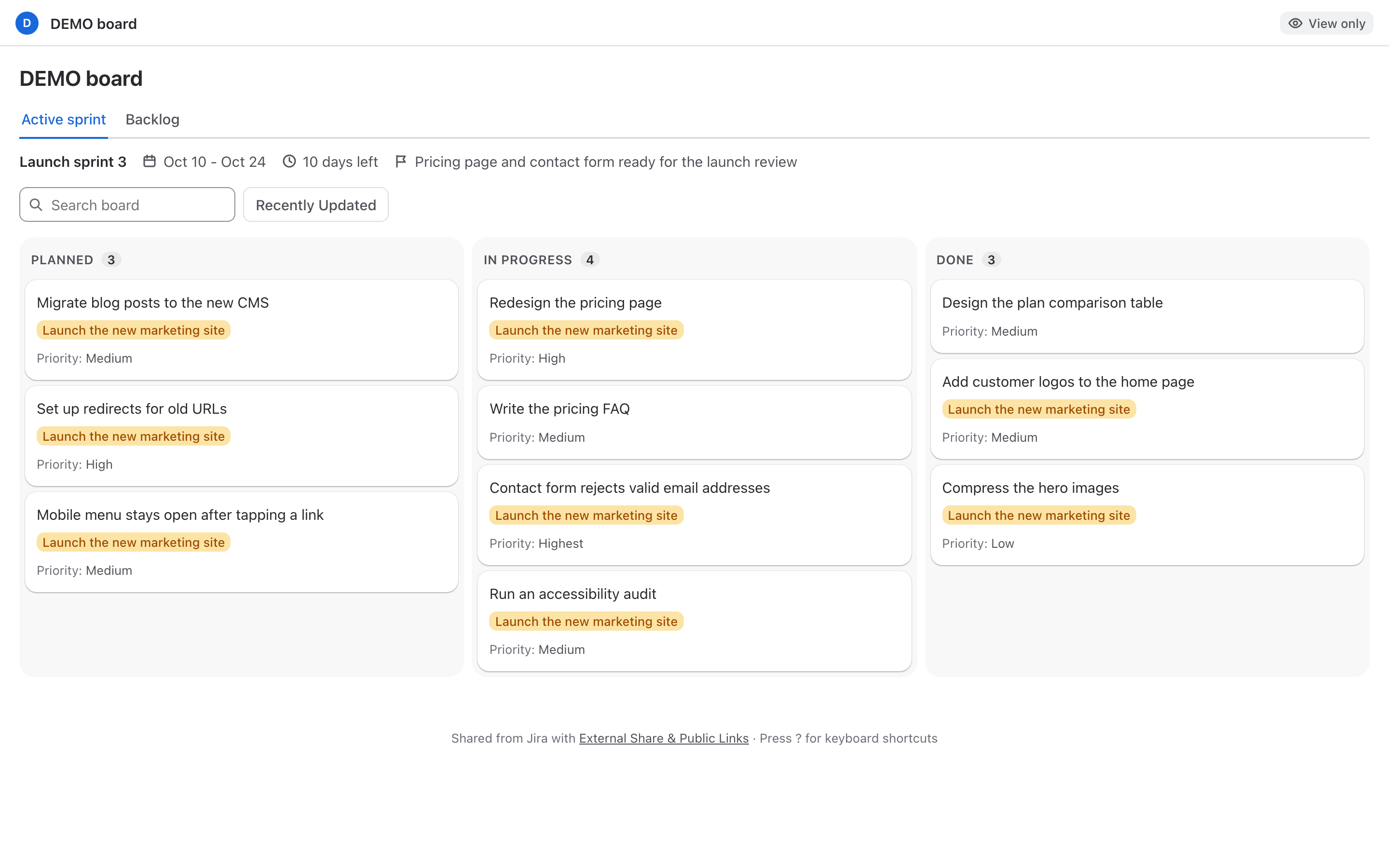
Portal hides keys and people from view, but they still reach the viewer's browser. If viewers mustn't see a field at all, turn it off on the Content or Card details tab.
How the Wallboard theme refreshes
A Wallboard page reloads its data every 2 minutes for an hour after the last activity on the page, then once an hour. A click, a key press or switching back to the tab starts the hour again.
Related
- Embed a shared page in another site: show a link on an intranet page with the Embed theme.
- What viewers see: the shared work item, board and filter pages.
- Sharing policy settings: the site's default theme, accent and top bar.