Server-side modules show "Action Required"
Why web triggers, scheduled jobs, scripted fields and post functions don't run, and how to get them running.
Symptom
The Web Triggers, Scheduled Jobs, Custom Fields or Workflows tab shows Action Required: This feature cannot function without companion app.
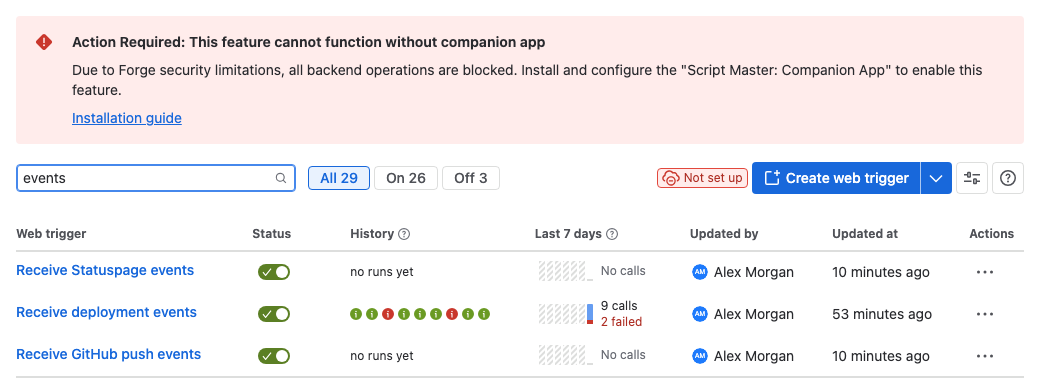
You may also see:
- Not set up as the Current status on the Settings tab.
- Local script execution is not supported. as the error of a run in a web trigger's or scheduled job's history.
- A web trigger answering its caller with
500and Internal Server Error. The web trigger script failed.
No Companion App is connected
Cause: Script Master runs server-side scripts only in your own Companion App. No Companion App URL is saved in Settings, so these scripts fail. Scripts that run in the browser, and validators and conditions, aren't affected.
Solution: As a Jira admin or Confluence admin, deploy the Companion App and paste its URL into Settings > Secured Execution. See Set up the Companion App.
Related
- The Companion App: why server-side scripts need it.
- Settings shows Invalid Configuration: when a URL is saved but doesn't work.