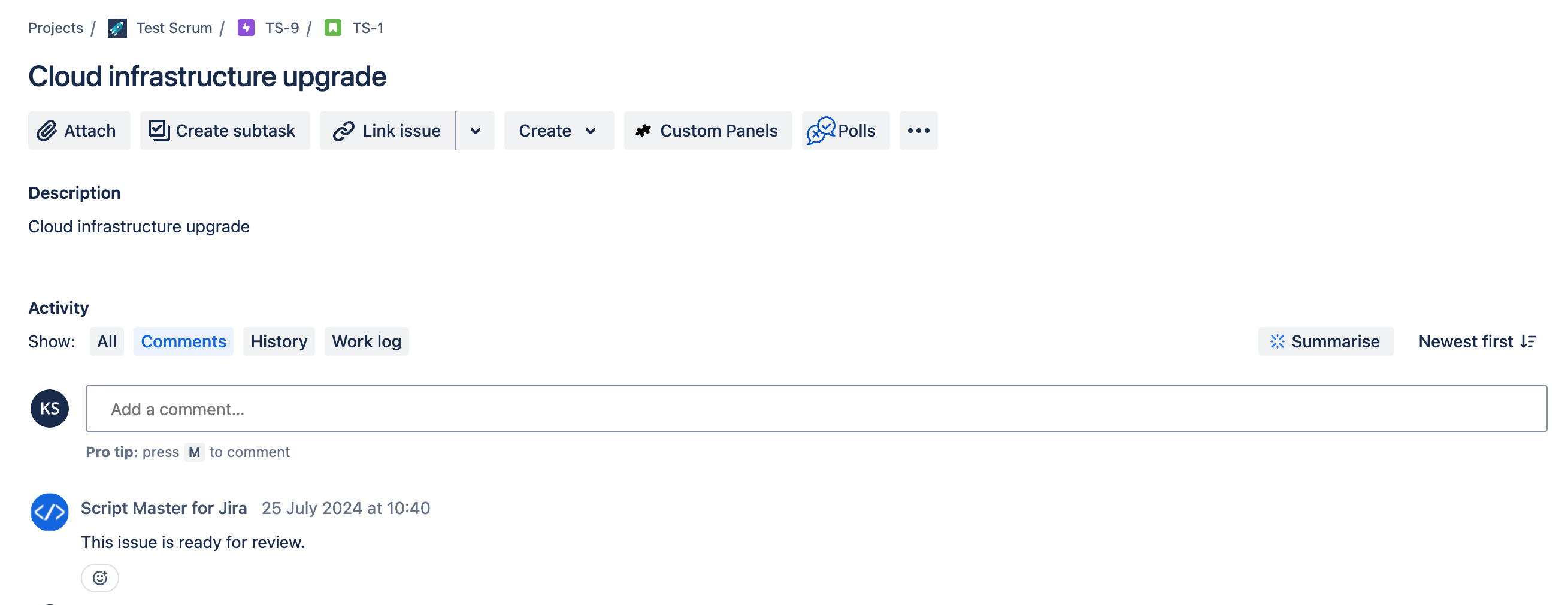
Add a comment to a work item
Let's create a post-function that adds a comment to a work item when it transitions to a specific status. For example, when tasks move to the review status, automatically add a predefined comment to notify reviewers that they are ready for review or approval.
Steps:
- Draft your project workflow. You can view it in Text or Diagram mode.
- Select the transition you want to run the post function for, such as the Review transition.
- On the Transition page, go to the Post Functions tab and select Add Post Function.
- Choose "Scripted post-function" and select Add.
- Modify the example script as needed.
- Select Add at the bottom of the page.
- Select Publish Draft at the top of the page.
const bodyData = `{
  "body": {
    "content": [
      {
        "content": [
          {
            "text": "This issue is ready for review.",
            "type": "text"
          }
        ],
        "type": "paragraph"
      }
    ],
    "type": "doc",
    "version": 1
  }
}`;

await api.asApp().requestJira(route`/rest/api/3/issue/${payload.issue.id}/comment`, {
  method: 'POST',
  headers: {
    'Accept': 'application/json',
    'Content-Type': 'application/json'
  },
  body: bodyData
});
As a result, when a work item is moved using this transition, a comment will be added to the work item on behalf of the app.