⚙️ Configuration
Admin Setup
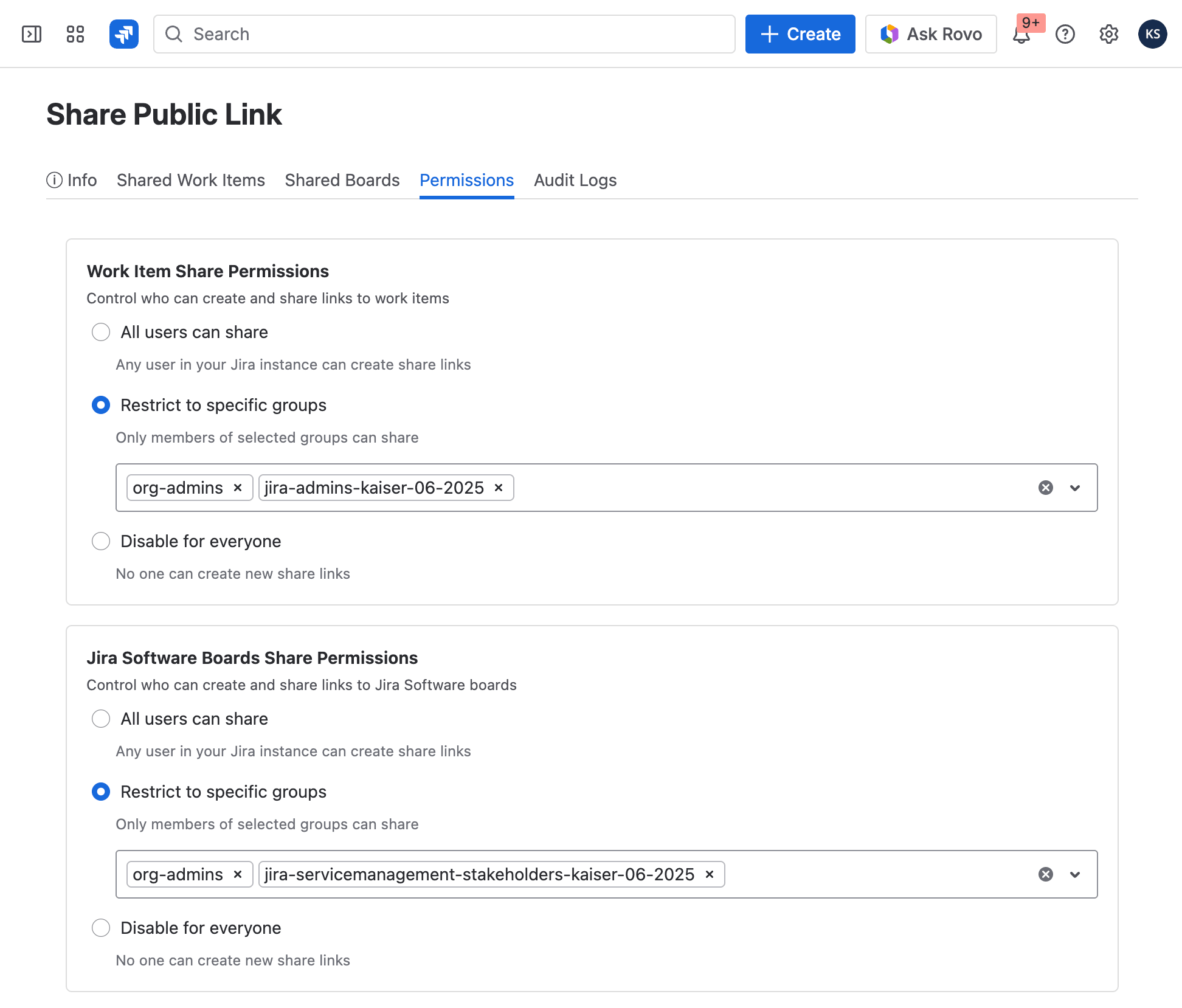
Before team members can start sharing public links, a Jira administrator must configure the app.
Navigate to:
Jira Settings → Marketplace Apps → Share Public Link → Permissions
Permissions
By default, the "Share Public Link" feature is enabled for all Jira users. While this works out of the box, we strongly recommend restricting access to specific groups only.
Recommended Setup
Restrict the permission to one or more specific Jira groups:
- Open Jira Settings → Marketplace Apps → Share Public Link → Permissions
- Disable the "Allow all users" option
- Add the groups that should be allowed to share public links
- Save the configuration
This ensures only designated users can generate public links, reducing the risk of accidental data exposure.
Monitoring Shared Links
The app configuration page also gives administrators visibility into all active shared links across the instance:
- Shared Work Items Board — A centralized view of all currently shared Jira issues, including who shared them and when.
- Audit Log — A chronological log of all sharing activity: links created, regenerated, or revoked. Use this to monitor usage patterns and ensure compliance with your organization's data-sharing policies.
These tools help administrators keep sharing activity under control without limiting the productivity benefits the app provides.